Shared, VPS or cloud? Choose wrong, and you either pay far more than a hobby blog needs, or you watch your shop crawl on the very day a sale takes off. The whole shared vs VPS vs cloud hosting thing sounds very technical, I know. But coming to the matter, it's really just two questions. How much of the server is actually yours? And who gets the call when it breaks? Let's settle it with real prices, not sales-page fluff.
A little background first. I've been on WordPress since 2014, and several of my own eCommerce sites run on it, so I have paid hosting bills of every shape and size. This very site, wpthinker.com, lives on a Hostinger VPS with 2 CPU cores and 8 GB of RAM, along with about 20 other sites of mine. For this guide, I checked VPS and cloud prices on the hosts' own pricing pages on 30 October 2026, and I took shared hosting prices from the data behind our hosting comparison, collected on 26 October 2026.
Here's the short version. Shared hosting puts your site on one server with lots of other sites, and the host manages the entire server, which is why it starts at around $2 to $4 a month. A VPS is your own slice of a server, with memory nobody else touches and full root access, and it starts at about $4 a month. The catch? On a self-managed plan, guess who's fixing it at midnight. You. Cloud hosting sits on a huge pool of servers, so you add resources in minutes and pay for what you actually use, nothing more. Starting a new blog? Go shared. Running a growing store, or happy on the command line? Take a VPS. Traffic that comes in waves? Cloud is your friend.
Shared vs VPS vs Cloud Hosting: The Tenant Test
I always explain hosting with housing, because almost all of us have rented a place at some point, so picture three ways to live in a new city.
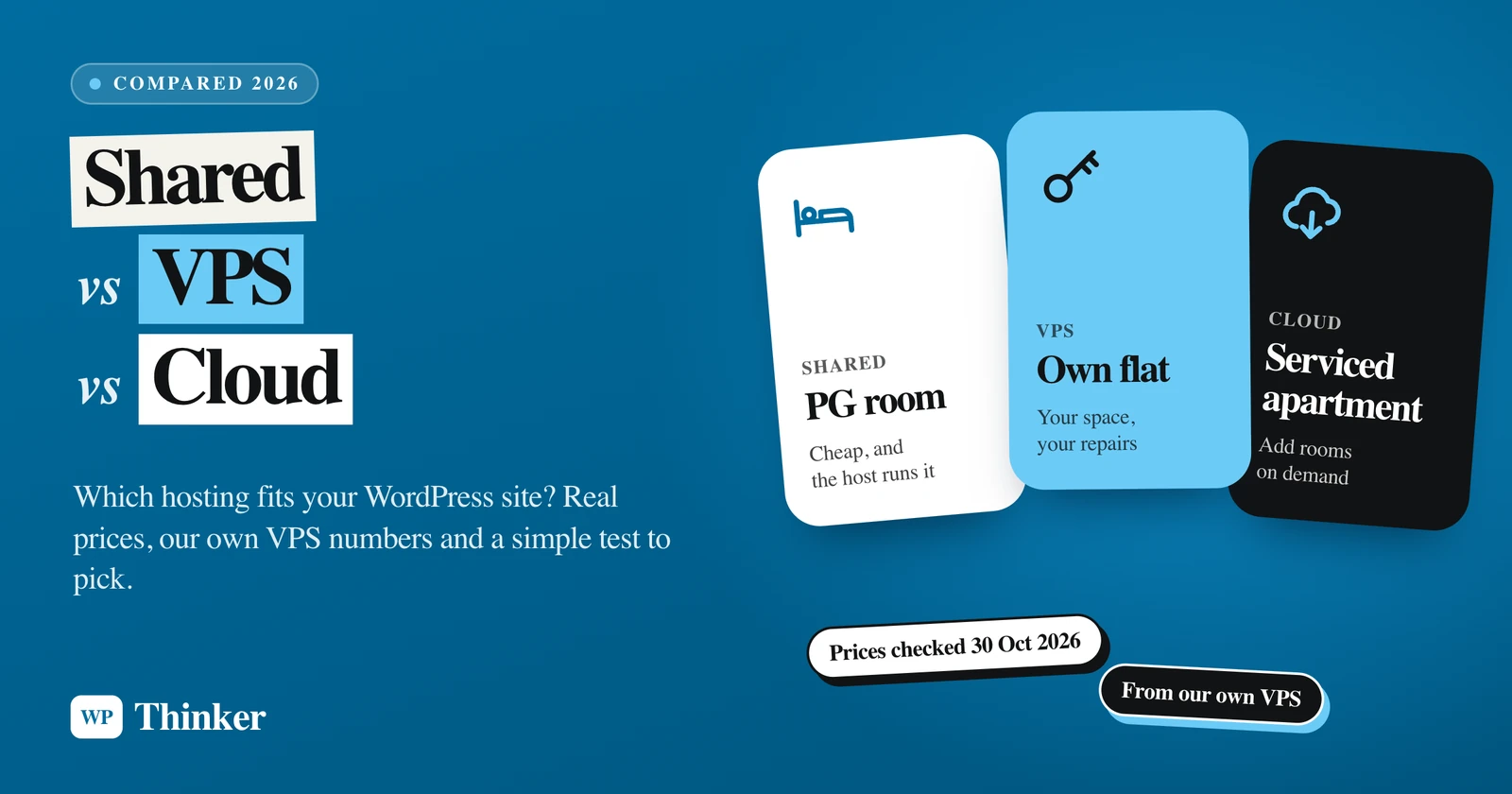
Shared hosting is a PG room. You get a bed for a small rent, and uncle downstairs takes care of the electricity, the cleaning and the water tank. Sounds great, right? Until you remember the kitchen and bathroom are common. The boy in the next room runs the geyser for an hour and, well, enjoy your cold shower. Hosting engineers call that the "noisy neighbour" problem, and it's exactly the same situation.
A VPS is your own rented flat. Own lock. Own kitchen. Own electricity meter, so nobody eats into your share. The building is still shared underneath, though, because many virtual flats sit on one physical server. And now the leaking tap is your problem, not the owner's.
Cloud hosting is a serviced apartment chain. Relatives landing for a wedding? Book three more rooms for the week and pay by the night. Power cut in one building? The management shifts you to the next one.
I call this the Tenant Test, and it boils down to three questions:
- How many guests? Think about your monthly traffic, and how demanding each visit is.
- Will you cook? In other words, are you ready to run a server yourself, or would you rather pay someone to do it?
- Do guests arrive in waves? A steady crowd every day is easy to plan for, whereas a Diwali sale that floods you with visitors overnight is a different story altogether.
Hold on to your answers. We'll come back to them.
What Is Shared Hosting?
Shared hosting is nothing but one physical server split between many websites, all dipping into the same processor, memory and disk, while the hosting company looks after everything from the operating system to the security patches. Your part? You log in to a control panel like cPanel or Hostinger's hPanel, and that's pretty much where your powers end. No root access means no installing your own server software, however badly you want to.
Coming to the price, this is where shared hosting shines, at least in the first year. Here's what three popular plans cost in our data:
- Hostinger Premium: $2.49 a month on a 48-month term, renewing at $10.99.
- DreamHost Launch: $1.99 a month, again on a 48-month term, and then it goes up to $7.99.
- SiteGround StartUp: $3.99 a month in year one, then a big jump to $17.99. It's meant for roughly 10,000 visits a month.
See the pattern? The intro price is nothing but a welcome discount. Budget for the renewal price, because that's what you'll keep paying once the first term ends.
What you get for that money:
- The most affordable way to put a WordPress site online.
- No server administration at all, since operating system updates, security patches and hardware failures are the host's headache.
- Extras like email accounts and a complimentary domain for the first year, on many plans.
And what you give up:
- Your site shares resources with its neighbours, so somebody else's traffic spike can slow you down.
- Hosts cap how much CPU and memory each account can use, and on many cPanel hosts running CloudLinux, cross that cap and your visitors get a lovely "508 Resource Limit Is Reached" error instead of your page.
- You can't touch the server itself. Want a custom PHP setting the host doesn't allow? Tough luck.
What Is VPS Hosting?
A VPS, or virtual private server, is basically a virtual machine that a piece of software called a hypervisor (usually KVM) carves out of one physical server. What you get is your own operating system, plus memory and disk space that no other customer can touch, and full root access to install whatever you fancy.
One honest footnote, though. On cheaper plans, your virtual CPU cores still share the physical processor with other VPSs on the same machine, only with much stricter limits than shared hosting. DigitalOcean, for example, describes its Basic Droplets as a fit for "bursty" workloads that don't need full CPU power all the time.
Here's what entry-level VPS plans cost when I checked on 30 October 2026:
- Hostinger KVM 1: $6.49 a month on a 24-month term ($155.76 upfront), renewing at $11.99. You get 1 vCPU core, 4 GB of RAM, 50 GB of NVMe storage and free weekly backups.
- Hostinger KVM 2: $8.79 a month on a 24-month term ($210.96 upfront), renewing at $14.99, with 2 vCPU cores, 8 GB of RAM and 100 GB of NVMe storage. That matches the specs of the VPS this site runs on.
- DigitalOcean Basic Droplet: $4 a month for 512 MiB of RAM, $6 for 1 GiB and $12 for 2 GiB, with no long contract. Backups cost extra, at 20% (weekly) or 30% (daily) of the Droplet price.
Hostinger was running a Black Friday deal when I looked, so those intro prices may change. The renewal prices are the ones to plan around.
Now the honest part, straight from our own server. Our VPS runs Ubuntu 24.04 with CloudPanel, a free control panel, and on a normal day it hardly breaks a sweat. The load average was 0.08 when I checked it while writing this. But on the morning of 28 October 2026, it shot up to 184, with the RAM and swap memory almost full. Two other apps on that same VPS ran away with the memory. For roughly ten minutes, the server crawled, SSH timed out, and wpthinker.com didn't answer a request within 20 seconds. It recovered on its own once Linux's out-of-memory killer stopped one of the runaway processes.
Hostinger did nothing wrong there, believe me. On a self-managed VPS, the noisy neighbours are your own apps, and finding the culprit is your job, through SSH, with commands like uptime and free -m. That's the deal with a flat: you get the whole place, and the leaking taps come with it.
There's some configuration homework at the start, too. According to WordPress.org's requirements page, your server should run PHP 8.3 or newer, MySQL 8.0 or newer (or MariaDB 10.11 or newer), and support HTTPS. On shared hosting, the host ticks those boxes for you. On a VPS, that list turns into your to-do list, unless you pay for a managed VPS, where the host patches and watches the server for you.
What Is Cloud Hosting?
Cloud hosting is when your site runs on virtual servers that pull from one giant pool of connected machines. Need more CPU or memory, or even a whole extra server? You add it in minutes, and you usually pay by the hour, sometimes even by the second. And because the pool is big, a provider can usually move your server to healthy hardware when a machine fails, instead of leaving you stuck on one box.
Here's the catch nobody mentions on the sales page: the word "cloud" gets used for at least three quite different things.
1. Raw cloud servers
DigitalOcean, AWS, Google Cloud and Vultr sell these. Honestly, a cloud server here is a VPS running on cloud infrastructure, billed by usage. According to DigitalOcean's Droplet pricing page, Droplets moved to per-second billing on 1 January 2026, with a minimum charge of 60 seconds or one cent. Need a powerful server for a two-day sale? Spin it up, delete it afterwards, and the charges stop. Do note that a server you only switch off still counts as running and keeps getting billed, so delete it if you're truly done.
2. "Cloud" as a plan name
Some hosts simply call their bigger managed plans "cloud." Hostinger's Cloud Startup, for instance, cost $7.99 a month on a 48-month term in our data, renewing at $25.99, with 100 GB of NVMe storage, daily backups and free email for the first year. It sits on the same WordPress hosting page as their shared plans. It's a solid plan with more muscle, but you can't add servers by the hour.
3. Managed cloud
Cloudways, owned by DigitalOcean, sits in the middle. In our data, its Micro plan was $14 a month, or $0.0208 an hour if you like decimals, and that bought 1 GB of RAM, 1 vCPU, 25 GB of NVMe storage and 1 TB of bandwidth, staging and automated backups thrown in. Now hold that next to DigitalOcean's own $6 Droplet. Same 1 GiB of RAM, same single vCPU. So what's the extra $8 or so for? Simple. Cloudways becomes your server admin, the one who installs the software stack, sets up caching, takes the backups and answers the support chat when you're stuck. Fair deal, if you never want to open SSH.
Oh, and keep an eye on cloud bills. Pay-as-you-go cuts both ways, my friend. Busy month, bigger bill, and no one sends you a reminder unless you ask for one. DigitalOcean does let you set a billing alert, though, so switch it on the day you sign up. It's a small step, and it spares you a nasty shock at month end.
Shared vs VPS vs Cloud: Side by Side
| Shared hosting | VPS hosting | Cloud hosting | |
|---|---|---|---|
| Cheapest price we saw | $1.99 a month at DreamHost, on a 48-month term | $4 a month for DigitalOcean's smallest Droplet | $14 a month for Cloudways Micro, or by the second on raw cloud |
| After the intro offer | $7.99 to $17.99 on the three plans above | $11.99 to $14.99 at Hostinger, while DigitalOcean doesn't change | no intro jump, but the bill moves with usage |
| Is the power yours? | no, everyone dips into the same pot | memory and disk are reserved for you | yes, and you can add more in minutes |
| Who fixes the server? | the host | you, unless it's a managed VPS | you on raw cloud, the host on managed cloud |
| Root access | not available | full | full on raw cloud, limited on managed plans |
| When a post goes viral | you may hit the account's limits | fine until the plan runs out of room | scale up for the day, pay for the day |
| Pick it if… | you're starting a blog or a small business site | you've outgrown shared and don't mind a terminal | traffic jumps around, or you want flexibility without a contract |
Which Hosting Should You Pick for WordPress?
Time to bring back the Tenant Test answers. Here's how they map out in real life:
- A new blog or a brochure site for your business. Few guests, no cooking and no waves means you should go with shared hosting and put the savings into content. A plan like SiteGround StartUp is sized for about 10,000 visits a month, which is plenty for most new sites.
- A WooCommerce store that's starting to sell. Cart and checkout pages can't be served from a page cache, so every shopper makes the server do real work. Shared hosting starts to pant here. A VPS, a managed cloud plan or managed WordPress hosting is the safer bet. My guide to setting up a WooCommerce store covers the rest of the setup.
- Many sites, or apps that aren't WordPress. A VPS wins on value, and it's exactly how I run this site and about 20 others on one server. Just accept that you're the caretaker now.
- Launches, flash sales or seasonal traffic. Cloud hosting fits best, because you can add power before the rush and drop it afterwards.
- Outgrown shared hosting, but hate server work? Then skip the self-managed VPS and pick managed WordPress hosting or a managed cloud host like Cloudways.
Signs You've Outgrown Shared Hosting
How do you know it's time to move out of the PG? Watch for these:
- You see "508 Resource Limit Is Reached" or the dreaded error establishing a database connection during busy hours.
- Your wp-admin feels like it's wading through mud, and that's even after you've installed one of the best caching plugins.
- Your host keeps emailing you about high CPU usage.
- You need something the host won't allow, like Redis or Node.js, or even a missing PHP extension like the one behind the ZipArchive error.
- Checkout slows to a crawl during sales, which, trust me, is the most expensive kind of slow.
Upgrading isn't scary, by the way. My guide on how to migrate a WordPress site to a new host walks through it step by step, with no downtime.
FAQs: Shared vs VPS vs Cloud Hosting
Is VPS hosting faster than shared hosting?
Usually, yes, because your memory is dedicated to you and no neighbour can grab it. But not always, mind you. Throw WordPress on a VPS with no caching and an old PHP version, and a nicely tuned shared plan can still beat it. Raw power is only half the story; the setup is the other half.
Is cloud hosting the same as a VPS?
Not quite, though the line is blurry. A cloud server, like a DigitalOcean Droplet, is basically a VPS running on a big pool of hardware. The "cloud" bit is really about how you pay and grow: you're billed for usage, and you can resize the thing or add servers in minutes. A classic VPS, on the other hand, usually sits on a fixed monthly or yearly plan, and that's that.
Do I need technical skills for a VPS?
For a self-managed one, honestly, yes. You should be okay with logging in over SSH, running Linux updates, setting up a firewall and keeping backups going. A free panel like CloudPanel, which we use, takes a lot of the pain away, but the problems are still yours. Sounds like too much homework? Fair enough. Pay for a managed VPS or a managed cloud host and let them do it.
Can I move from shared hosting to a VPS later?
Of course, because WordPress moves between hosts quite happily, and you can do it with a migration plugin or by hand. So there's no harm in starting on cheap shared hosting and upgrading the day your site truly needs it.
Which is cheapest over three or four years?
Shared hosting, almost always, if you pay upfront. Hostinger Premium costs $119.52 for its full 48-month term. DigitalOcean's $6 Droplet adds up to $216 over three years, before backups, while Cloudways Micro comes to $504. Our true cost calculator does the maths for each host, renewals included.
Summing Up
So, in the shared vs VPS vs cloud hosting debate, there's no single winner, only the right home for where your site is today. Shared hosting is the PG room: cheap, simple, and someone else fixes the geyser. A VPS is your own flat, with more room and more control, plus every leaking tap. Cloud hosting is the serviced apartment that grows when the relatives arrive, and bills you for every night they stay. Run the Tenant Test honestly, check the renewal prices rather than the intro ones, and move up only when your guests demand it.
That's all for now. Which one is your site on right now: shared, VPS or cloud? Do let us know in the comment box below.