WordPress is a great place to publish, but a blog post only reaches people who come back to look for it. A newsletter brings readers back to you, and unlike a social media page, you own the list. If you are looking for the best free newsletter plugins to start one, this article will help you.
We are here to help you pick the right one with ease. Every plugin here is free in the WordPress.org plugin directory, and we tested all ten on a fresh WordPress 7.1.5 site, signing up as a visitor wherever a form was ready.
Related Articles
- How To Configure Mailchimp On WordPress
- How To Fix WordPress Not Sending Emails
- Best Email Plugins For WordPress
Top 10 Free Newsletter Plugins At A Glance
| Plugin | Job | Active installs | Last updated | Download size |
|---|---|---|---|---|
| MailPoet | Newsletters in WordPress | 500,000+ | Nov 10, 2026 | 8.4 MB |
| Newsletter | Self-hosted newsletters | 200,000+ | Nov 23, 2026 | 8.0 MB |
| MC4WP | Mailchimp sign-up forms | 1 million+ | Nov 3, 2026 | 0.3 MB |
| FluentCRM | CRM and campaigns | 80,000+ | Nov 20, 2026 | 7.1 MB |
| Icegram Express | Newsletters and post alerts | 50,000+ | Nov 18, 2026 | 23.5 MB |
| Noptin | Post notifications | 10,000+ | Nov 4, 2026 | 2.3 MB |
| Brevo | Brevo forms and email | 100,000+ | Nov 5, 2026 | 5.0 MB |
| Kit (formerly ConvertKit) | Kit forms | 40,000+ | Nov 20, 2026 | 0.9 MB |
| Omnisend | Email and SMS marketing | 100,000+ | Nov 20, 2026 | 4.5 MB |
| Newsletters LITE | Self-hosted newsletters | 2,000+ | Nov 10, 2026 | 9.5 MB |
We took the install counts and dates from the WordPress.org plugin directory and measured the download sizes ourselves on November 23, 2026.
What We Found When We Tested Them
We activated each plugin alone, tried to sign up as a logged-out visitor before changing any settings and measured the files it adds to every page (uncompressed).
| Plugin | Sign-up form | Our visitor | Added to every page |
|---|---|---|---|
| Newsletter | Ready, via shortcode | Confirmed instantly | 2 files, 7.6 KB |
| Noptin | Ready-made form | Subscribed instantly | Nothing |
| MailPoet | After setup, then build one | Not tested | Nothing |
| Newsletters LITE | Ready, via shortcode | Subscribed instantly | 14 files, about 525 KB |
| Icegram Express | After onboarding | Not tested | 4 files, about 109 KB |
| FluentCRM | Needs Fluent Forms | Not tested | Nothing |
| MC4WP, Brevo, Kit, Omnisend | Need an account first | Not tested | Nothing to 118 KB |
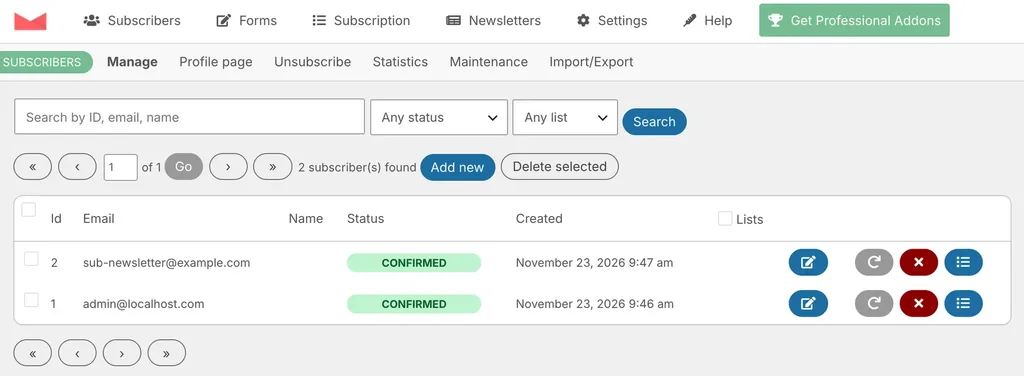
Only three plugins collected an email address the moment we activated them, and none asked our visitor to confirm by email. Newsletter and Noptin also added the admin's email to the list on their own. We had no accounts for the four service plugins, so we tested them up to their connect screens.
1. MailPoet
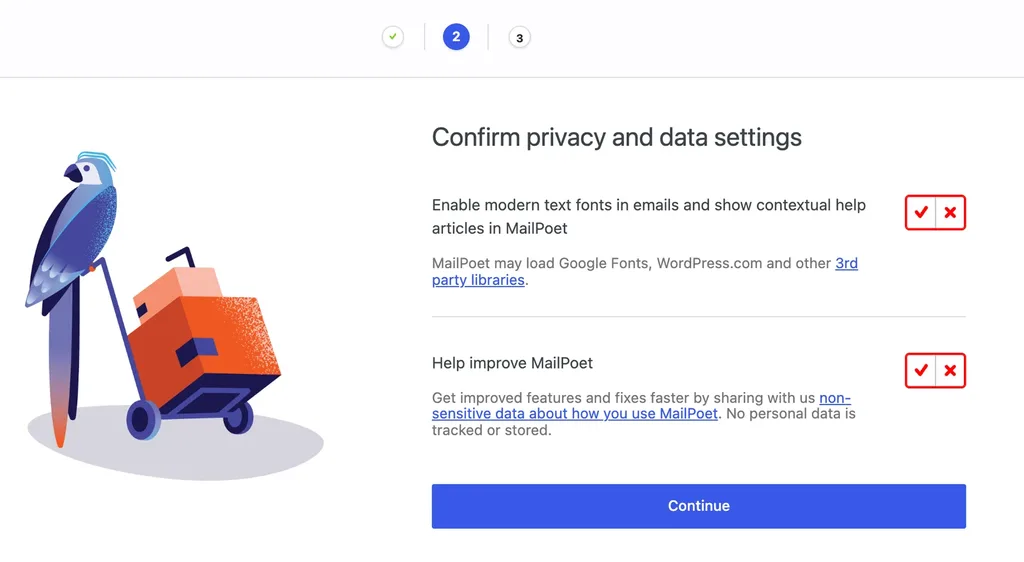
MailPoet lets you write and send newsletters, including automatic new post emails, from your dashboard. The free version covers 1,000 subscribers, with MailPoet branding in your emails. Its screens showed a setup page until we started its three-step wizard. We liked its privacy step, which asks yes or no for Google Fonts and usage sharing, with nothing chosen for you. Our scripted test stopped there, so we couldn't test a sign-up. It added 44 database tables, the most here.
2. Newsletter
The Newsletter plugin keeps everything on your own site, with no subscriber limit, and needed zero setup. Our visitor used the [newsletter_form] shortcode, saw "Your subscription has been confirmed" and was marked Confirmed right away, so double opt-in is off by default. It also tried to send a "Welcome" email and added two small files, about 7.6 KB, to every page. Automated post newsletters and autoresponders are paid add-ons.
3. MC4WP: Mailchimp For WordPress
MC4WP is the most installed plugin here, with more than 1 million sites. It connects WordPress to Mailchimp and adds sign-up forms, plus a sign-up checkbox for your comment, contact or checkout forms. Without a Mailchimp API key, its form screen said "No Mailchimp audiences found", so there was nothing to show visitors. It added nothing to our pages. Mailchimp is free for up to 500 subscribers, according to the plugin page, and multiple forms need MC4WP Premium.
4. FluentCRM
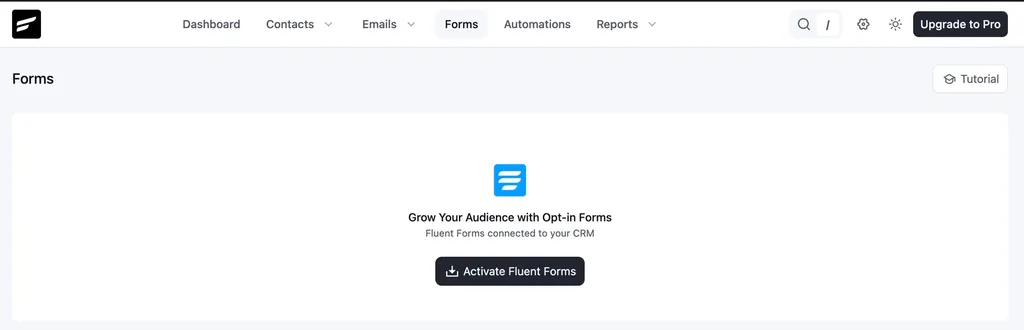
FluentCRM is a full email marketing system inside WordPress, with lists, tags, campaigns and automations. Its plugin page promises no limits on contacts or emails. Its dashboard opened a setup wizard first, and it added 21 database tables. One catch: its Forms screen only offered an "Activate Fluent Forms" button, so you need the free Fluent Forms plugin to collect sign-ups, but it added nothing for visitors.
5. Icegram Express
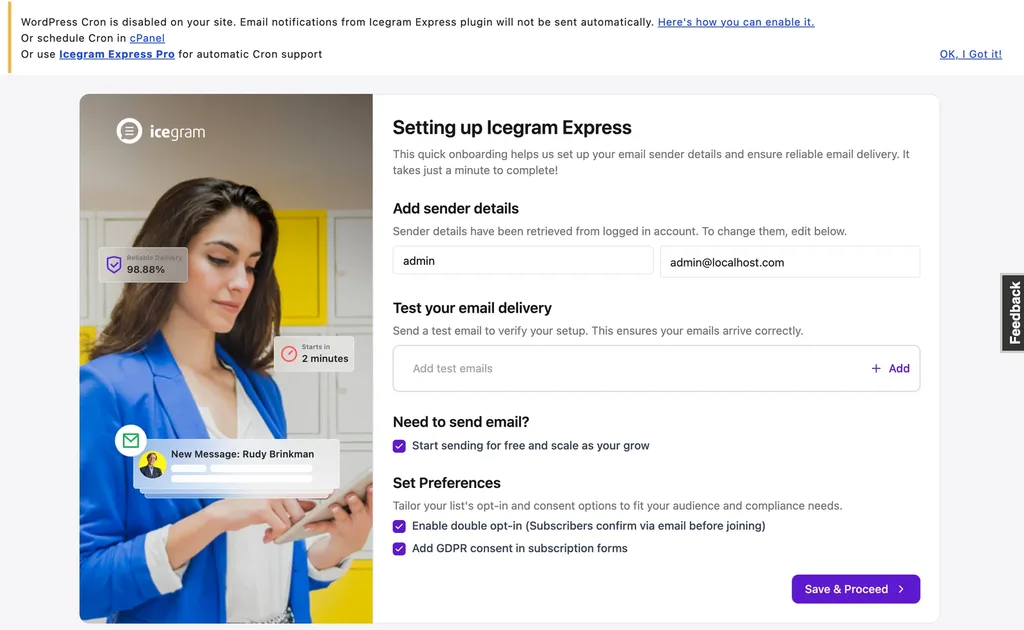
Icegram Express, listed as Email Subscribers & Newsletters on WordPress.org, offers unlimited subscribers, unlimited sends and new post notifications for free. Its main screens sent us to an onboarding form, and there's no sign-up form until you finish it. Double opt-in and GDPR consent were ticked by default, which is good, but so was "Start sending for free", an offer for Icegram's own sending service. Before setup, it added four files, about 109 KB, to every page. Multi-step automations need Icegram Express Max.
6. Noptin
Noptin is a light, self-hosted plugin built for new post notifications and post digests, with unlimited subscribers for free. It created a ready-made form on activation, and our visitor saw "Thanks for subscribing to our newsletter" and was saved as Subscribed without a confirmation email. It loaded nothing on pages without a form, and about 25 KB where the form appears. Extra integrations come with paid plans and add-ons.
7. Brevo
Brevo connects WordPress to Brevo's email and SMS service. Its free plan sends up to 300 emails a day with unlimited contacts. You need a Brevo account and an API key, so we could only test it up to the connect screen. Even unconnected, it added three scripts and a stylesheet to every page, about 118 KB, two of them from WordPress itself.
8. Kit (Formerly ConvertKit)
Kit connects WordPress to Kit's email platform. You design forms in Kit and show them with a block or shortcode. Kit is free for your first 10,000 subscribers, according to its plugin page. Activation opened a setup wizard, and we stopped at its Connect button because we had no Kit account. Even unconnected, it added a script and a stylesheet, about 18 KB, to every page.
9. Omnisend
Omnisend is an email and SMS marketing service, and this plugin brings its sign-up forms, popups and landing pages to WordPress. Its plugin page says you can start free with no credit card but doesn't list the free plan's limits, so check Omnisend's pricing first. Our test stopped at its "Connect your account" screen. For visitors, it added just one 148-byte stylesheet. Stores should use its separate WooCommerce plugin.
10. Newsletters LITE
Tribulant's Newsletters is a self-hosted plugin with autoresponders and bounce handling. The LITE version is limited to one mailing list, 500 subscribers and 1,000 emails a month, and its drag and drop builder is locked. Its subscribe shortcode worked without setup, and our visitor joined the Default List straight away. The catch is weight: it loaded ten extra scripts and four stylesheets on every page, including Bootstrap and Select2, about 525 KB.
How To Install A Newsletter Plugin
- First, set up an SMTP plugin so your emails reach the inbox.
- Next, go to Plugins → Add New Plugin and search for the plugin by name.
- Now click Install Now, then Activate, and finish its setup wizard.
- After that, add the form to a page and subscribe with your own email in a private browser window.
Free Newsletter Plugins: FAQs
Should I turn on double opt-in?
Yes, for most sites. People confirm by email before they join, which keeps fake addresses off your list. Newsletter, Noptin and Newsletters LITE all skipped it by default in our test.
Do I need a separate email service?
Not always. Self-hosted plugins can send through your host, but a mail service is more reliable. Try the free WordPress.org SMTP plugin.
Final Words
These free newsletter plugins can grow your list without a monthly bill. For most blogs, we recommend Noptin or Newsletter, because they collect sign-ups from day one. If you'd rather not manage sending, try Kit's free plan or MailPoet (we tested those two only up to their setup screens). Let us know in the comments which newsletter plugin you use.
Sources
We checked these sources for this list on November 23, 2026:
- WordPress.org Plugin Directory, the plugin pages for all ten plugins
- MailPoet, free plan limits
- MC4WP: Mailchimp for WordPress, setup and Mailchimp's free plan