WordPress runs websites in almost every language, and many site owners want to reach readers in more than one. The catch is that WordPress shows each site in just one language. If you are looking for free translation plugins to build a multilingual site or to translate your theme and plugins, this article will help you.
We are here to help you choose the right one without spending a single dollar. Every plugin here is free on WordPress.org, and we explain each free limit. Before writing this, we tested all ten on a fresh WordPress 7.1.5 site and added French in Polylang and Bogo.
Related Articles
- How To Translate In WordPress
- How To Change The WordPress Admin Language
- Best SEO Plugins For WordPress
Top 10 Free Translation Plugins At A Glance
| Plugin | Job | Active installs | Last updated | Download size |
|---|---|---|---|---|
| Polylang | Multilingual site | 900,000+ | Nov 9, 2026 | 0.8 MB |
| TranslatePress | Visual translation | 400,000+ | Nov 17, 2026 | 11.5 MB |
| Loco Translate | Theme and plugin text | 1 million+ | Nov 16, 2026 | 0.7 MB |
| GTranslate | Automatic translation | 900,000+ | Oct 23, 2026 | 0.7 MB |
| Weglot | Cloud translation | 50,000+ | Nov 23, 2026 | 1.9 MB |
| WP Multilang | Multilingual site | 10,000+ | Nov 7, 2026 | 0.5 MB |
| Bogo | One language per post | 10,000+ | Aug 18, 2026 | 0.06 MB |
| Falang | Multilingual site | 2,000+ | Nov 6, 2026 | 2.0 MB |
| LocoAI | Auto-translate for Loco | 70,000+ | Nov 17, 2026 | 5.1 MB |
| Google Language Translator | Translation widget | 100,000+ | Oct 23, 2026 | 0.3 MB |
We took the install counts and dates from the WordPress.org plugin directory and measured the download sizes ourselves on November 23, 2026.
What We Found When We Tested Them
We activated each plugin on its own and checked what it added to the homepage for logged-out visitors. Before any setup, none of the ten served a French page at /fr/.
| Plugin | Added for visitors before setup |
|---|---|
| Polylang, Loco Translate, LocoAI, GTranslate | Nothing |
| Falang | 0.6 KB stylesheet |
| Bogo | 13.4 KB stylesheet |
| TranslatePress | 25.5 KB, plus a visible language switcher |
| WP Multilang | About 105 KB, including jQuery |
| Weglot | About 176 KB, before we connected an account |
| Google Language Translator | About 247 KB, plus a file from cdn.gtranslate.net |
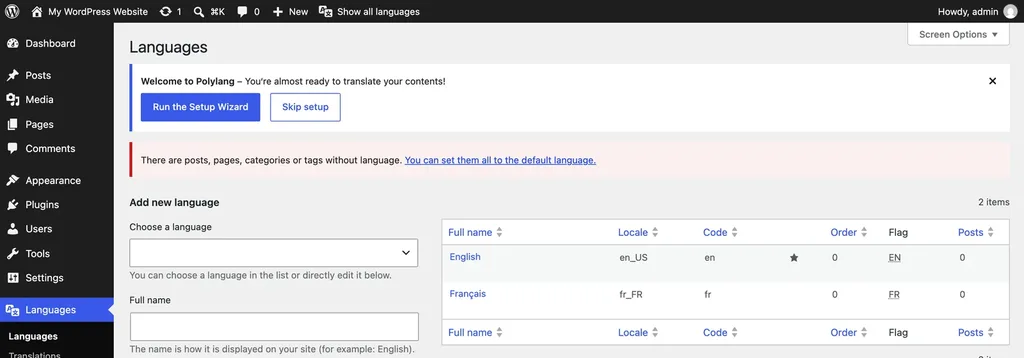
Adding French went smoothly in Polylang: our /fr/ address worked and hreflang tags appeared for both languages. Bogo served /fr/ in French as soon as the French language pack was installed.
1. Polylang
Polylang is the most popular free way to build a real multilingual site. You write each translation yourself, and there is no limit on languages. Each one can use a folder such as /fr/, a subdomain or its own domain. In our test, /fr/ worked as soon as we added French. One surprise: our Hello world post vanished from the homepage until old content gets the default language, which a notice offers to do. WooCommerce needs a paid add-on.
2. TranslatePress
TranslatePress lets you translate visually, by clicking text on the live page. The free version gives you one extra language, 2,000 words of free AI translation, and unlimited Google Translate with your own API key. It opened an onboarding screen on activation, and the dashboard showed a Black Friday upgrade notice. Before we added any language, it already showed a switcher to visitors, which cost 25.5 KB. At 11.5 MB, it is the largest download here.
3. Loco Translate
Loco Translate doesn't translate your posts. Instead, it translates the text inside your theme and plugins, such as button labels, right in the dashboard. It keeps custom translations in a safe folder, backs up your language files and can connect to DeepL, Google, Microsoft and OpenAI. It runs on more than 1 million sites and added nothing for visitors.
4. GTranslate
GTranslate uses Google Translate to translate your whole site on the fly into 103 languages. Saving its default settings added nothing to our pages, because you choose where the switcher goes: a menu, a widget, a floating button or the [gtranslate] shortcode. The free service is only for personal, educational, nonprofit and government sites that don't earn money from it. Pages that Google can index are a paid feature.
5. Weglot
Weglot is a cloud service that translates your content with AI and handles hreflang tags for you. Nothing works until you connect a Weglot account, and the free plan allows only 2,000 words and one extra language. Activation took us straight to the API key screen. Even before we connected an account, it added three files, about 176 KB, to every page.
6. WP Multilang
WP Multilang keeps every translation inside the same post, so there are no duplicate posts and no extra tables. It supports block themes, menus, widgets and multisite. Automatic translation and translated URL slugs are premium features. In our test, it added hreflang tags right away. It also loaded jQuery, its switcher script and a stylesheet on every page, about 105 KB in all.
7. Bogo
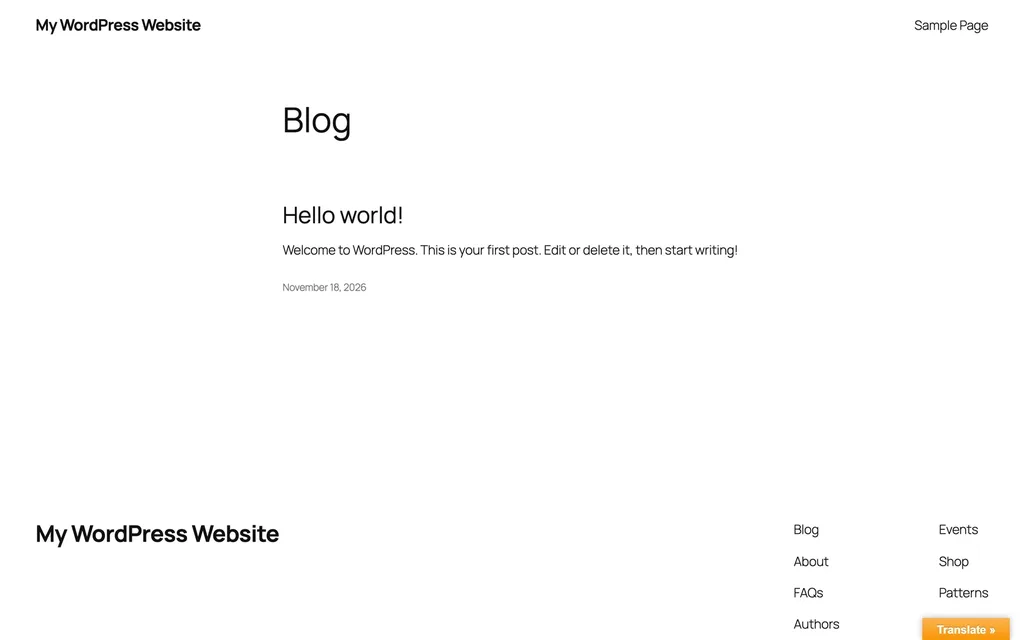
Bogo comes from Rock Lobster, the company behind Contact Form 7. Each post has one language, and a translation is a copy you edit. It adds no custom database tables. Once the French language pack was installed, Bogo served our homepage in French at /fr/ with hreflang tags. It loads a 13.4 KB stylesheet, and you place its switcher widget or shortcode yourself.
8. Falang
Falang stores each translation separately, so your original posts never change. It also handles WooCommerce products. The free version can use Google, Azure or Lingvanex to help you translate, while DeepL and ChatGPT need Falang Pro. It added only a tiny 0.6 KB stylesheet for visitors. It has only 2,000+ installs, but 110 of its 113 ratings are five stars.
9. LocoAI For Loco Translate
LocoAI adds automatic translation to Loco Translate. WordPress wouldn't even let us activate it until Loco Translate was active, and then it opened its own dashboard. The free version translates plugin and theme text with the Yandex Translate widget or the AI built into Chrome and Edge, with no paid API and no word limit. OpenAI, Google, DeepL and Gemini need the Pro version. Like Loco, it added nothing for visitors.
10. Google Language Translator
Google Language Translator, now part of the GTranslate family, was the only plugin that put a Translate button on our site the moment we activated it. That costs speed: it added three scripts and two stylesheets, about 247 KB including jQuery, plus a script from cdn.gtranslate.net. Like GTranslate, the free service is only for non-commercial sites. We didn't test the translation itself.
How To Set Up A Translation Plugin
- First, decide what you need: a full multilingual site, an automatic widget, or only your theme's text in another language.
- Next, go to Plugins → Add New Plugin, search for the plugin by name, then click Install Now and Activate.
- Now add your second language in the plugin's settings and place its language switcher in your menu or footer.
- After that, open your site in a private browser window and check both languages.
Free Translation Plugins: FAQs
Which free translation plugin is best for SEO?
Polylang, because each language gets its own address, such as /fr/, with hreflang tags. The free versions of GTranslate and Google Language Translator don't create translated pages for search engines.
Do I need a translation plugin to change my theme's wording?
No. Loco Translate lets you edit the text in your theme and plugins without a multilingual setup.
Final Words
These free translation plugins range from a full multilingual site to a quick translate button. For most sites, we recommend Polylang for real translated pages, TranslatePress if you prefer visual editing (we couldn't finish adding French to it with our test script), and Loco Translate for theme text. Let us know in the comments which plugin you use for your multilingual site.
Sources
We checked these sources for this list on November 23, 2026:
- WordPress.org Plugin Directory, the plugin pages for all ten plugins
- TranslatePress, free and premium add-ons
- GTranslate, free service terms and paid features
- Weglot pricing, the free plan limits