WordPress makes it easy to publish photos, but showing several of them in a neat, moving slideshow needs a little help. A slider is perfect for a homepage hero, a product showcase or customer testimonials. If you are looking for free slider plugins that look good without slowing down your site, this article will help you.
We are here to help you pick the right one without spending a single dollar. Every plugin in this list is free in the WordPress.org plugin directory, and we explain what each free version leaves out. Before writing this, we tested all ten on a fresh WordPress 7.1.5 site and measured what each one loads for visitors.
Related Articles
- Best Gallery Plugins For WordPress
- Best Image Optimization Plugins For WordPress
- Ways To Increase Website Speed
Top 10 Free Slider Plugins At A Glance
| Plugin | Job | Active installs | Last updated | Download size |
|---|---|---|---|---|
| Smart Slider 3 | Visual slider builder | 800,000+ | Oct 28, 2026 | 3.9 MB |
| MetaSlider | Image and video slideshows | 500,000+ | Nov 18, 2026 | 18.3 MB |
| Depicter | Sliders and popups | 70,000+ | Nov 22, 2026 | 13.2 MB |
| WP Carousel | Carousel blocks | 60,000+ | Nov 12, 2026 | 5.4 MB |
| Carousel Slider Block | Carousel block | 50,000+ | Oct 12, 2026 | 1.1 MB |
| Master Slider | Touch slider | 60,000+ | Oct 8, 2026 | 2.9 MB |
| Soliloquy Lite | Simple image slider | 30,000+ | Nov 17, 2026 | 2.2 MB |
| Carousel Slider | Image, post and product carousels | 30,000+ | Aug 21, 2026 | 0.3 MB |
| Ultimate Responsive Image Slider | Image slider | 20,000+ | Oct 29, 2026 | 2.8 MB |
| Gutenslider | Slider block | 10,000+ | Nov 4, 2026 | 1.8 MB |
We took the install counts and dates from the WordPress.org plugin directory and measured the download sizes ourselves on November 23, 2026.
What We Found When We Tested Them
We activated each plugin on its own and loaded the homepage as a logged-out visitor before creating any slider. A slider plugin should only load files on pages that show a slider, and eight of the ten added nothing to our homepage.
| Plugin | Extra files on every page, no slider yet |
|---|---|
| The other eight plugins | None |
| MetaSlider | 1 KB stylesheet |
| Master Slider | 64.7 KB stylesheet |
Then we put a real slider on a page. Smart Slider 3 comes with a two-slide sample slider, so we added it to a new page with its shortcode. That page loaded four scripts and a stylesheet, about 199 KB, plus 66 KB of styles in the page, a Google Fonts file and demo images from smartslider3.com. A rich slider has a real cost, so use it only where it helps.
1. Smart Slider 3
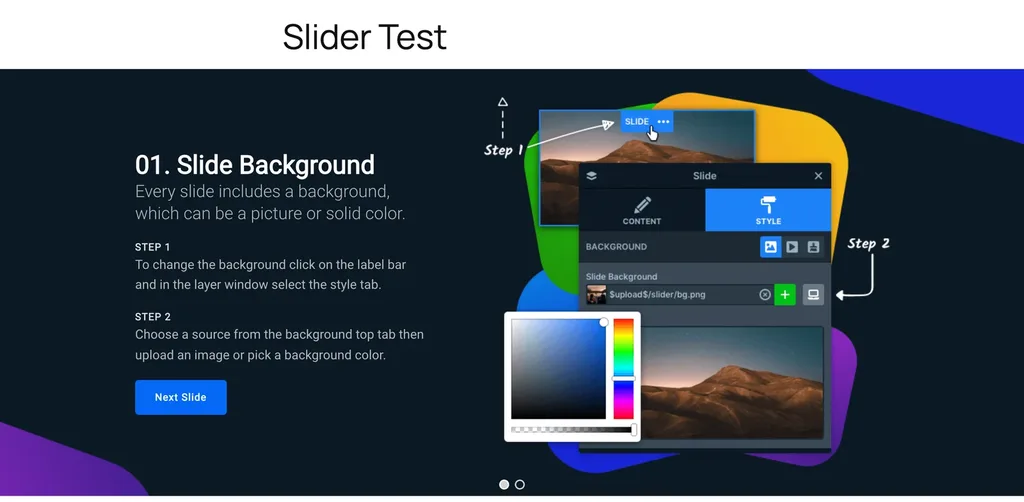
Smart Slider 3 is the most popular free slider here, with more than 800,000 installs. Its editor works like a page builder: you stack image, heading, text, button and video layers on each slide, and it can also build sliders from your posts. The free version includes 15 template sliders, while all templates, the animation builder and extra layers are Pro. It came with a sample slider, shown below, and loaded nothing on pages without a slider.
2. MetaSlider
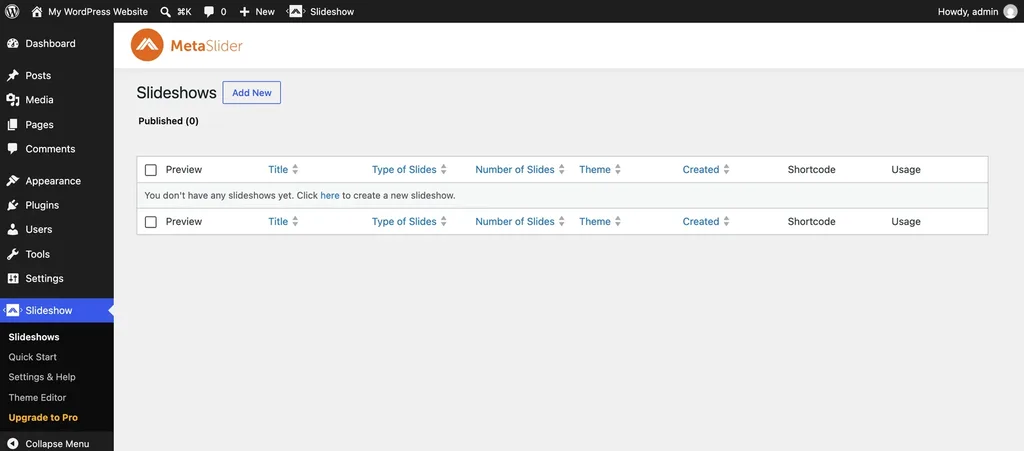
MetaSlider builds image sliders, carousels and galleries from your Media Library, and video sliders from your own uploads. It works with the block editor and page builders. YouTube and Vimeo slides, layer slides, post feeds and WooCommerce products are Pro features, and its menu has an Upgrade to Pro link. It sent us to a Quick Start page on activation and added only a 1 KB stylesheet for visitors. At 18.3 MB, it is the largest download here.
3. Depicter
Depicter is a visual builder for sliders, carousels and popups, with no limit on items, a template library, AI tools and forms. It added nothing for visitors in our test, but it set up seven database tables on activation. In our sandboxed test site, its dashboard showed errors while loading its online templates, so we couldn't try them. Its listing says it is tested up to WordPress 7.0.9.
4. WP Carousel
WP Carousel offers ten carousel and gallery blocks, six of them free, including a carousel, a 3D carousel, a slider and a thumbnail slider. You can build from images, posts, WooCommerce products or YouTube and Vimeo videos. The marquee, panorama, masonry and justified blocks are Pro. It opened a welcome dashboard with an offer banner, but added nothing for visitors before we created anything.
5. Carousel Slider Block
Carousel Slider Block is the simplest option for the block editor. It adds one carousel block, and every slide can hold any blocks you like, such as an image, a heading and a button. Version 2 is built on the Swiper.js library and offers arrows, dots, autoplay and settings for each screen size. It showed no notices and added nothing for visitors in our test.
6. Master Slider
Master Slider is a touch-friendly image and video slider with eight starter samples. Its own listing now points users to Depicter, the same team's newer builder. In our test, it loaded a 64.7 KB stylesheet on every page even before we made a slider, and it asked for a review right after activation. Its main screen also offered to install Depicter.
7. Soliloquy Lite
Soliloquy Lite is a drag and drop builder for simple, responsive image and video sliders. It is the free version of Soliloquy Pro, which adds templates and sliders for WooCommerce, featured content, carousels, lightboxes, thumbnails and Instagram. It added no notices and nothing for visitors in our test. Its 1,025 ratings are second only to Smart Slider 3 in this list.
8. Carousel Slider
Carousel Slider makes image, video, post and WooCommerce product carousels, plus a hero slider with buttons. It works with the block editor, Elementor, Divi and other builders. It is a light 0.3 MB download and added nothing for visitors in our test.
9. Ultimate Responsive Image Slider
Ultimate Responsive Image Slider does one job: a clean image slider with a drag and drop builder, and as many sliders as you like. Its slider list opens with a Pro features box, and slide links, extra transitions and Google Fonts are Pro. It added nothing for visitors in our test.
10. Gutenslider
Gutenslider adds a slider block where each slide has an image, video, color or gradient background with any blocks on top. It is great for hero sections. 3D transitions and playlists of up to 100 videos are Pro. It opened its own screen on activation and added nothing for visitors before we created anything.
How To Add A Slider To Your Site
- First, resize and compress your images, because large photos slow down a slider more than any plugin.
- Next, go to Plugins → Add New Plugin, search for the plugin by name, then click Install Now and Activate.
- Now create your slider, or add the plugin's block to a page, and pick your images.
- After that, open the page on a phone and check that the slides load quickly and swipe smoothly.
Free Slider Plugins: FAQs
Do sliders slow down WordPress?
They can. In our test, a page with Smart Slider's sample slider loaded about 199 KB of extra files. Most plugins here load nothing on pages without a slider, but Master Slider added a 64.7 KB stylesheet to every page.
Do I need a plugin to make a slider?
For a simple carousel, a block plugin such as Carousel Slider Block or Gutenslider is enough. Choose Smart Slider 3 for layered slides, or MetaSlider for slides from your own uploaded videos.
Final Words
These free slider plugins can turn a plain homepage into something that catches the eye. For most sites, we recommend Smart Slider 3 for rich designs, MetaSlider for quick image slideshows and Carousel Slider Block if you live in the block editor. We built a slider page only with Smart Slider 3, so try the others on a test page first. Let us know in the comments which slider plugin you use.
Sources
We checked these sources for this list on November 23, 2026:
- WordPress.org Plugin Directory, the plugin pages for all ten plugins
- MetaSlider, free and Pro features
- WP Carousel, free blocks and Pro layouts
- Master Slider, its note about Depicter