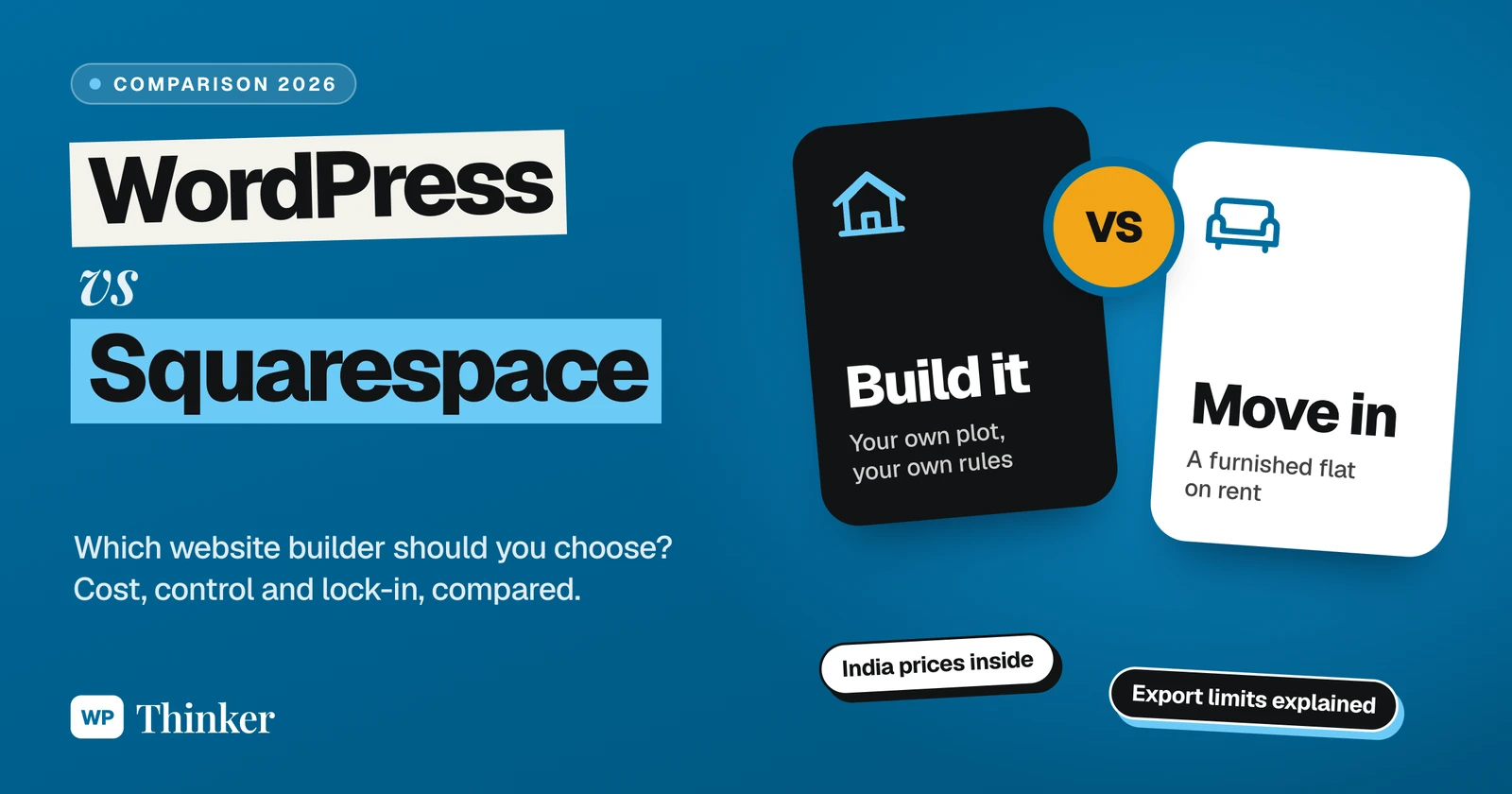
So you want a website, and you’ve narrowed it down to WordPress vs Squarespace. Good choice, both are solid. But they’re built for very different kinds of people, and picking the wrong one usually hurts a year later, not on day one.
I’ll be honest with you from the start. I’ve used WordPress since 2014, and several of my own eCommerce websites still run on it. I haven’t run a site on Squarespace myself. So for the Squarespace side, I went through its pricing page, its plan details and its help centre line by line, and I’ve tried my best to be fair.
Everything here was checked on 26 October 2026: Squarespace’s pricing as it shows in India, Hostinger’s Indian WordPress hosting prices, WordPress.com’s plans, W3Techs’ usage numbers and Squarespace’s export guide. Prices are in rupees unless I say otherwise.
Want a good-looking site by this weekend, and never want to hear words like hosting, updates or plugins? Go with Squarespace. Want full control, lower running costs, a huge choice of themes and plugins, and a proper blogging setup for SEO? WordPress is your friend. In India, Squarespace starts at ₹630 a month on an annual plan, while WordPress itself is free and Hostinger’s cheapest WordPress hosting was ₹69 a month on a 4-year term during its sale.
First, Which WordPress Are We Talking About?
This confuses almost everybody, so let’s clear it up in one minute.
WordPress.org is the free, open-source software. You download it, put it on any hosting you like, and the site is fully yours. When people say “WordPress” in a comparison like this, they usually mean this one, and so do I.
WordPress.com is a hosted service run by a company. You don’t touch servers at all. According to its pricing page, paid plans start at $2.75 a month billed every 3 years, or $4 a month billed annually, and every paid plan now lets you install plugins. There’s also a free plan with a WordPress.com subdomain and 1 GB of storage.
Coming to the matter, this article compares self-hosted WordPress (the .org one) with Squarespace, because that’s the real fork in the road.
The Furnished Flat Test
Here’s the easiest way I know to explain the difference.
Squarespace is a furnished flat on rent. You walk in with your suitcase, and the sofa, the curtains and the kitchen are already there. Lovely. But you can’t knock down a wall, you can’t change the wiring, and every month the rent goes out.
WordPress is your own plot of land.
Nobody charges you for the land. You hire a builder (that’s your host), you decide the design, and you add a room whenever the family grows. Freedom, yes. But if a tap starts leaking at midnight, guess whose problem it is? Yours.
So what do you really want? To move in today with just your suitcase, or to build something of your own? Keep that answer in your head for the rest of this article.
WordPress vs Squarespace in One Table
| What you’re checking | WordPress (self-hosted) | Squarespace |
|---|---|---|
| Money to start | the software is free, you pay for hosting | from ₹630 a month on Basic, paid annually |
| Who looks after hosting and updates | you, or your hosting company | Squarespace does it all |
| Themes | 8,783 free ones on WordPress.org, plus premium | Squarespace’s own designer templates |
| Add-ons | 72,758 free plugins on WordPress.org | whatever Squarespace has built in |
| Fee when you sell online | nothing from WordPress itself | 2% on Basic, nothing on Core or Advanced |
| Learning curve | a few evenings | an afternoon |
| Leaving later | take your files and database anywhere | only some content exports |
The Money Talk: WordPress vs Squarespace Prices in India
If you want it in one line, WordPress costs less to run, and Squarespace is easier to pay for because it’s one single bill. Now the numbers.
Squarespace plans
Squarespace’s pricing page showed three plans for India. You can try it free for 14 days, and if you pay for a year in one go, Squarespace says you save up to 36%.
- Basic: ₹630 a month paid annually, or ₹810 paid monthly. A 2% transaction fee on online store sales.
- Core: ₹720 a month paid annually, or ₹1,080 paid monthly. No transaction fee on store sales.
- Advanced: ₹1,100 a month paid annually, or ₹1,530 paid monthly. No transaction fee, and Squarespace says it has the lowest payment processing fees.
Annual plans include a free custom domain for the first year. Hosting, SSL and the templates are part of the price. Selling courses or memberships has its own fee: 7% on Basic, 5% on Core and 0% on Advanced.
WordPress costs
WordPress itself costs nothing. You pay for hosting, and maybe for a premium theme or plugin if you really need one. As an example, Hostinger’s Indian WordPress hosting page showed these sale prices, each on a 48-month term paid upfront:
- Single: ₹69 a month, so ₹3,312 today, then ₹289 a month. One website, 10 GB of storage.
- Premium: ₹139 a month, so ₹6,672 today, then ₹449 a month. Three websites, 20 GB.
- Unlimited: ₹199 a month, so ₹9,552 today, then ₹649 a month. Unlimited websites, 50 GB NVMe.
Each comes with a free domain, for the first year at least. For the full breakdown of hosting renewals, themes and plugin costs, see my guide on how much WooCommerce costs, because the same logic applies to any WordPress site.
The 4-year view
Let’s line them up over 4 years, leaving the domain out because both give it free only for year one.
Squarespace Basic at ₹630 a month comes to ₹30,240 over 48 months, assuming the price stays the same. Core comes to ₹34,560.
WordPress on Hostinger Premium comes to ₹6,672 for the same 48 months.
That’s a gap of over ₹23,000. Real money for a small business, no doubt. But remember what you’re paying Squarespace for. It’s not just space on a server, it’s someone else doing the boring work.
Which One Is Easier to Use?
Squarespace, and it isn’t close.
Pick a template, put your own text and photos in place of the sample ones, move sections up and down with your mouse, and you’re done. There’s no installing and no updating, ever. The 14-day trial is enough to build most of a simple site before you pay a rupee.
WordPress asks more. First hosting, then installing WordPress (most hosts do it in one click now), then choosing a theme, then learning the block editor. When I set up a fresh WordPress 7.1.3 test install today, the basics took minutes. Making a site look exactly the way you want takes longer, and that’s normal. Want drag-and-drop like Squarespace? A page builder helps, and our list of the best page builder plugins is a good place to start.
Design and Templates
Squarespace is famous for its templates, and fairly so. They look polished out of the box, especially for photographers, designers, restaurants and small studios. The catch? You design inside Squarespace’s fence. Small tweaks are easy. Big changes are hard, or simply not possible.
WordPress gives you 8,783 free themes on WordPress.org alone, plus thousands of premium ones. With block themes you can now edit headers, footers and templates visually. Want something totally unusual? A developer can build it. Our list of WordPress themes for business shows how wide the choice is.
In my view, Squarespace gives you a beautiful default. WordPress hands you a blank cheque instead. Honestly, which is better for you depends on one thing: do you already know what you want your site to look like?
Features and Plugins: Where WordPress Pulls Ahead
The WordPress.org plugin directory lists 72,758 free plugins as I write this. Contact forms? Memberships? Bookings, SEO, a site in three languages, online courses? There’s a plugin for each, usually several of them fighting for your attention.
Squarespace goes the other way round. It builds the main features in, so they work together without any fuss. On its pricing page I saw built-in AI tools to help you write content, invoices you can send for free on every plan, and on some plans, one Google Workspace email account free for the first year. Move up a plan and you also get shipping labels, live carrier rates and tax worked out for you.
So what’s the catch? If Squarespace hasn’t built a feature, you mostly have to live without it. With WordPress, you can have almost anything, but every plugin is one more thing to update.
Selling Online
Both can run a store. On Squarespace, the Basic plan takes 2% of every online store sale, so for a real store you’ll probably want Core or Advanced, where that fee is 0%. Your payment processor’s own fee comes on top in every case.
On WordPress, you add WooCommerce, which is free and takes no cut of your sales. You only pay your gateway. I’ve broken down the real numbers in how much WooCommerce costs, and if you’re also thinking about Shopify, read our WooCommerce vs Shopify comparison.
SEO and Blogging
Don’t forget, WordPress started life as a blogging tool, and that DNA is still there. With categories, tags, your own permalink structure and an SEO plugin like Yoast SEO, you can control nearly everything Google sees. Planning to grow by writing helpful articles, like the one you’re reading? Then I’d bet on WordPress.
Squarespace does have a blog, and it takes care of the SEO basics, like page titles, descriptions and clean URLs. Plenty of small business sites rank fine on it. It just gives you fewer knobs to turn.
The usage numbers tell their own story. According to W3Techs, on 26 October 2026 WordPress ran 39.6% of all websites, a 58.3% share of sites using a known content management system. Squarespace ran 2.4% of all websites, a 3.6% share. Bigger isn’t automatically better, but it does mean more tutorials, more developers and more answers when you’re stuck.
Moving Away Later
Nobody thinks about this on day one. Everybody thinks about it on the day they want to leave.
With WordPress, your files and database are yours. Change hosts whenever you like, and take the whole site with you.
Squarespace is more limited. Its own help centre says only some content exports, and the export file comes only in WordPress’s .xml format. Here’s what it lists:
- Exports: regular layout pages, one blog page with its posts (and up to 1,000 comments per post), text blocks, image blocks and gallery pages
- Doesn’t export: more than one blog, product blocks, video and audio blocks, drafts, style settings, custom CSS, and page-specific headers, footers and sidebars
Squarespace also warns that images may not come across when you import into a self-hosted WordPress site with the WordPress Importer, so you might have to download and upload them by hand. Not a deal breaker, just good to know before you pour years into one platform.
Support and Maintenance
Squarespace offers 24/7 support, plus a help centre, a forum and webinars. Since it runs everything, there’s very little for you to maintain.
On WordPress, help comes from many places: your host, a massive community and the folks who made your theme and plugins. The maintenance, though, sits with you. Updates, backups, security, all of it. It isn’t hard, but skipping it is how sites get hacked. Our lists of the best backup plugins and best security plugins cover what you need.
My Verdict: WordPress or Squarespace?
Choose Squarespace if:
- you want a beautiful site live within days, without learning anything technical
- your site is mostly a portfolio, a menu, a few service pages or a small shop
- you’re happy paying a fixed monthly price so someone else handles hosting, updates and security
Choose WordPress if:
- you want to grow with content and SEO
- you need features Squarespace doesn’t have, or you think you might later
- you care about lower running costs and owning your site completely
My own pick is WordPress, which is why I’ve stayed with it since 2014. But if a friend who hates technology asked me for a simple portfolio site by the weekend, I’d honestly point them to Squarespace. Right tool, right person.
Your Questions About WordPress vs Squarespace
Is WordPress better than Squarespace?
In most cases, yes, especially for flexibility, SEO and cost. Just look at the numbers: 72,758 free plugins, 8,783 free themes, and 39.6% of all websites run on it. But if you want a polished site fast and zero maintenance, Squarespace will suit you better.
Is Squarespace cheaper than WordPress?
Usually not. In India, Squarespace Basic costs ₹630 a month on an annual plan, about ₹30,240 over 4 years. WordPress on Hostinger’s Premium hosting cost ₹6,672 for the same 4 years during its sale. Of course, if you buy premium themes or plugins or hire a developer, the WordPress number goes up.
Can I move my website from Squarespace to WordPress?
You can, but don’t expect everything to come along. Squarespace exports pages, one blog with its posts, text, images and galleries as a WordPress .xml file. Your products, videos, extra blogs, drafts and custom CSS get left behind, and you may have to shift the images yourself.
Is Squarespace good for SEO?
It’s fine for the basics, like titles, descriptions and clean URLs, and many small business sites rank well on it. But if your plan is to publish a lot of content, WordPress with Yoast SEO gives you far more control.
Which is easier for beginners, WordPress or Squarespace?
Squarespace. You pick a template and start editing, and there’s nothing to install or update. WordPress takes a few evenings to learn, though most hosts now install it for you in one click.
Summing Up
So that’s WordPress vs Squarespace in 2026. Squarespace is the furnished flat, ready to move in, with rent every month and walls you can’t move. WordPress is your own plot, cheaper to run and fully yours, with the upkeep on you. Both are good. The right one is simply the one that fits the way you like to work.
That’s all for now. Are you moving into the flat or building on the plot? Do let us know in the comment box below.