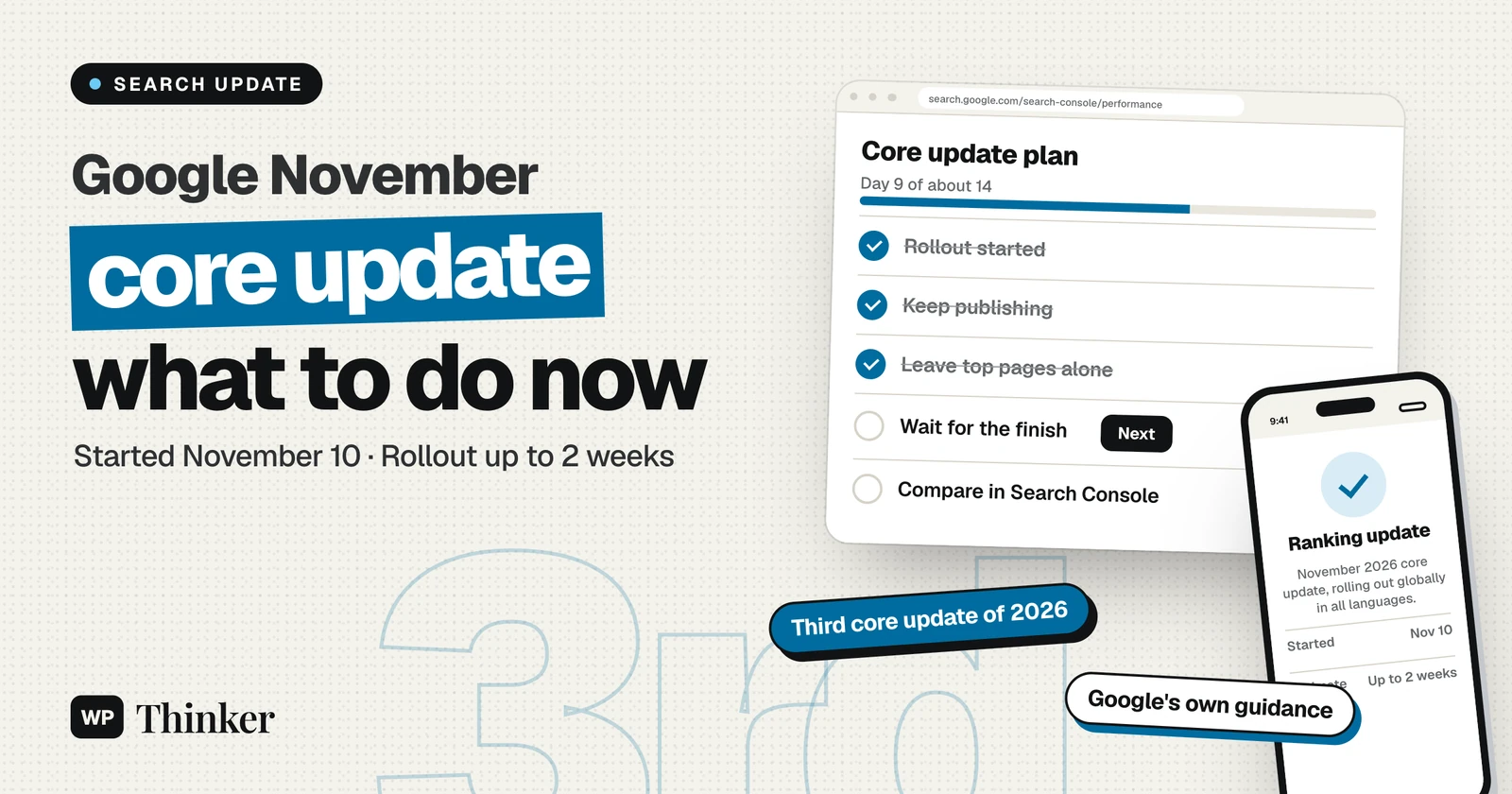
Google started rolling out the Google November 2026 core update on November 10, and if your WordPress traffic has been bouncing around this week, this is the most likely reason. It's the third core update of 2026, and it landed just as stores and blogs head into their busiest weeks of the year. Below we explain what Google has confirmed, how long the rollout should take, and what we'd do (and not do) with a WordPress site while it settles.
Core updates arrive several times a year, and the pattern hasn't changed much: the sites that panic and start deleting or rewriting pages mid-rollout usually make things worse.
What Google Has Confirmed
According to the Google Search Status Dashboard, Google released the November 2026 core update on November 10, 2026, at 10:07 a.m. Pacific time. The update applies globally and to all languages, and Google says the rollout may take up to two weeks to complete.
That's the whole announcement. As usual, Google didn't name any specific systems, niches or types of pages. Its core updates guide describes these updates as broad changes that "don't target specific sites or individual web pages." In other words, there's no single setting to fix and no plugin that makes a site "core update proof."
How Long Will the Rollout Take?
Google's estimate is up to two weeks, which would put the finish around November 24. Earlier updates give a rough idea of what to expect, since the dashboard records how long each one actually took.
| Update | Started | Rollout time |
|---|---|---|
| December 2025 core update | December 11, 2025 | 18 days, 2 hours |
| March 2026 core update | March 27, 2026 | 12 days, 4 hours |
| May 2026 core update | May 21, 2026 | 11 days, 21 hours |
| November 2026 core update | November 10, 2026 | Still rolling out |
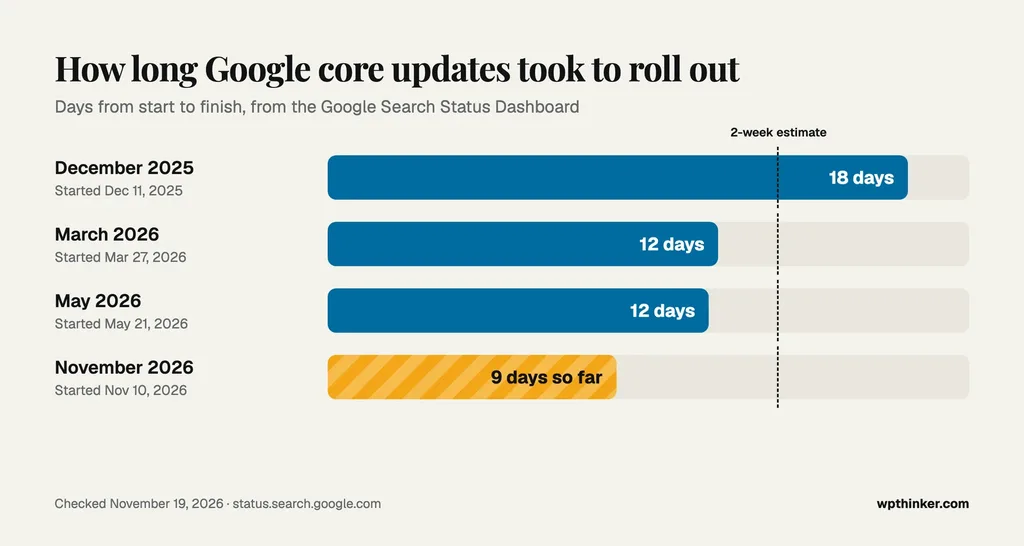
Both earlier 2026 core updates finished in about 12 days, while the December 2025 update ran past two weeks. So November 24 is a sensible target, but don't be surprised if it runs a few days longer. The dashboard will add an end time when Google marks it complete.
Google also ran four spam updates this year, in March, June, August and September. Those are separate from core updates, so if you saw a change in late September, it was likely related to the spam update rather than this one.
What to Do While the Update Rolls Out
The honest answer is: not much. Rankings tend to swing up and down during a rollout, and a drop on day three can reverse itself by day ten. Here is what we recommend during that window.
- Keep publishing as normal. Don't hold back new posts, and don't rush out a batch of rewrites either.
- Don't change pages that are working. Google itself recommends avoiding changes to content that's already performing well.
- Fix real technical problems. If a plugin update broke your sitemap or a page started returning errors, fix it right away. That's routine maintenance, not a reaction to the update.
- Write down what you see. Note any big ranking moves with the date so you can compare them once the rollout ends.
If you run a WooCommerce store, this matters even more during Black Friday week. A sudden drop is stressful, but changing product pages in a panic can cost you sales and still leave rankings where they were.
How to Check Your Traffic in Search Console
Google's own advice is to wait until the update has finished, then wait at least one more full week before analyzing your data in Google Search Console. For this update, that means waiting until early December at the earliest. Then follow these steps.
- Open Performance → Search results and choose Compare in the date filter.
- Compare a full week after the rollout ended with the week before November 10.
- Sort by Pages and then Queries to see which ones moved the most.
- Check web search, Images, Video and News separately with the search type filter, since a drop can be limited to one of them.
Then look at the size of the change. Google says a small drop, such as moving from position 2 to position 4, doesn't need drastic action. A large drop, such as falling from position 4 to position 29, is the point where a deeper review makes sense.
Also remember that late November traffic is unusual anyway. Shopping searches go up, while many informational searches go down over Thanksgiving week. Comparing with the same week last year can help you separate seasonal changes from the update itself.
If Your Site Dropped: What Actually Helps
Google's advice for a large, sustained drop is to review your site as a whole using its helpful content self-assessment questions. Focus on the pages that lost the most and ask whether another page on the web answers the searcher's question better.
In practice, on a WordPress site, that review usually turns up a few common issues.
- Outdated posts. Old prices, discontinued plugins and screenshots from three versions ago. Update the facts and the date only when you have really changed the content.
- Thin pages. Tag archives, near-empty category pages and short posts that cover the same topic. An SEO plugin lets you noindex archives that don't help visitors.
- Weak first-hand detail. Reviews that only list features from the vendor's site. Add your own testing, results and screenshots.
- Slow or broken pages. Core updates are about content, but a slow site still frustrates readers. Our Core Web Vitals guide covers the WordPress fixes.
Google also warns against quick fixes, like removing a page element because you heard it was bad for SEO. Deleting content is described as a last resort, used only when a page can't be improved.
How Long Recovery Takes
This is the hard part. Google says some improvements can show up within a few days, but it can take several months for its systems to recognize that a site is consistently helpful. In some cases, a site won't recover until the next core update.
The good news is that you don't have to wait for a big named update. Google says it also makes smaller core updates that it doesn't announce, and those can lift a site that has improved. So steady improvements over the coming months are a better plan than a big rewrite in December.
Google November 2026 Core Update: FAQs
When did the Google November 2026 core update start?
It started on November 10, 2026, at 10:07 a.m. Pacific time, according to the Google Search Status Dashboard.
When will the November 2026 core update finish?
Google says the rollout may take up to two weeks, so around November 24. The March and May 2026 core updates each took about 12 days, while December 2025's took 18.
Should I update my WordPress posts during the rollout?
Only if you'd update them anyway, for example to fix outdated information. Avoid large rewrites or deleting pages until the rollout has ended and you've compared the data.
Can an SEO plugin protect my site from core updates?
No. SEO plugins handle technical basics like sitemaps, meta tags and schema, which are still worth getting right. Core updates assess how helpful your content is, and no plugin setting can change that.
Final Thoughts
The Google November 2026 core update is still rolling out, so any ranking change you see this week may not last. Keep publishing, fix real technical problems, and leave your best pages alone. Once the rollout has ended and a full week has passed, compare your Search Console data and decide what to improve. If you want to make your site more resilient in the meantime, our WordPress security checklist and guide to updating WordPress cover the maintenance basics. We will update this post when Google confirms the rollout is complete.