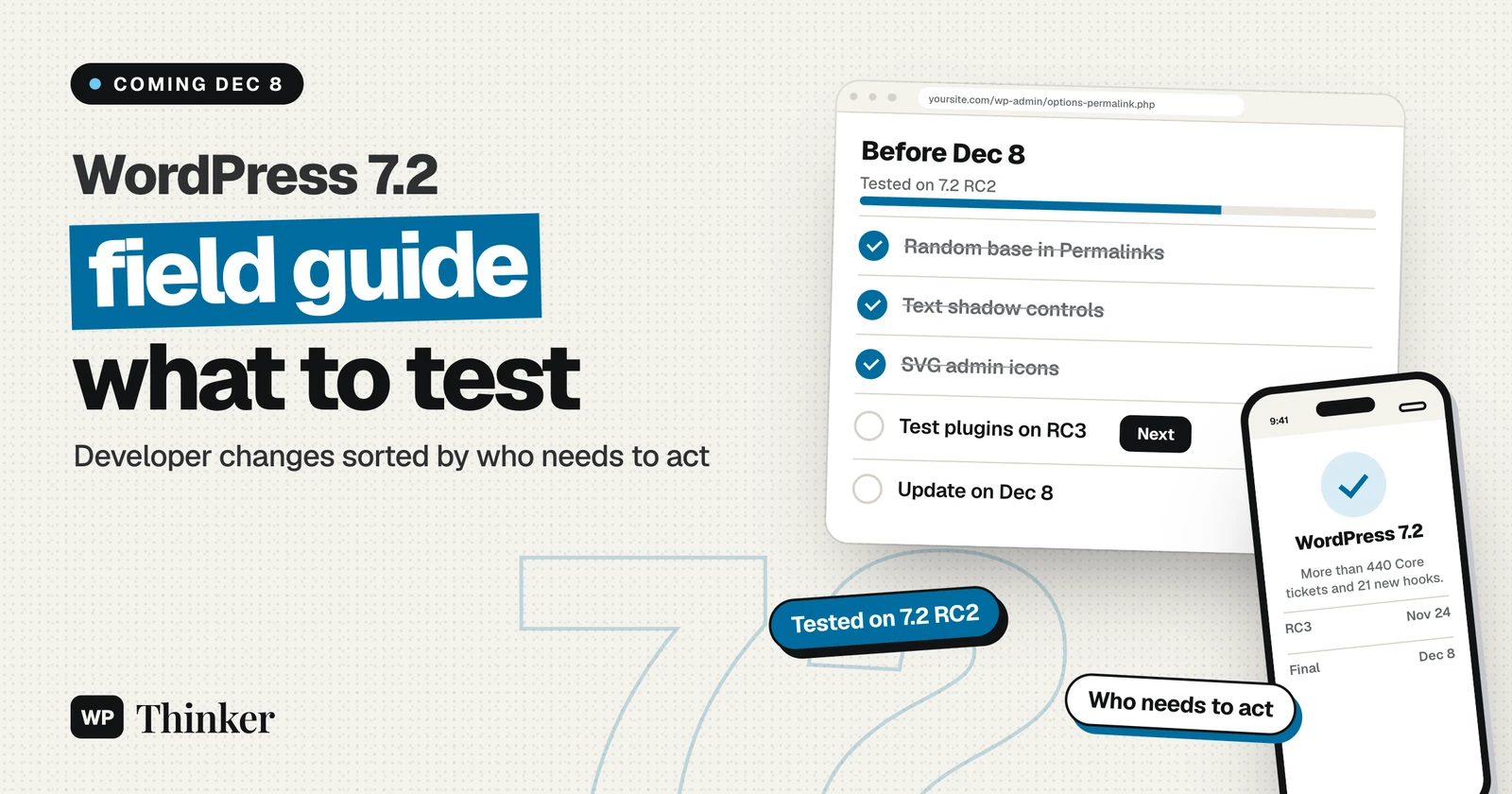
WordPress 7.2 includes more than 440 Core tickets. It also brings almost 700 enhancements and nearly 500 bug fixes from Gutenberg. The WordPress 7.2 field guide, published on November 20, sums up the developer changes in one place. It's the page to read before the final release on December 8. We read it section by section, tested what we could on a WordPress 7.2 RC2 site, and sorted each change by who needs to act.
If you only run a website, most of the field guide won't affect you. If you build plugins or themes, or you host WordPress sites, a few changes are worth a test on staging first.
WordPress 7.2 field guide: key facts
| Detail | WordPress 7.2 |
|---|---|
| Field guide published | November 20, 2026 |
| Core tickets | More than 440 (about 150 enhancements, more than 260 bug fixes) |
| Gutenberg changes | Versions 23.7 to 24.3: almost 700 enhancements and nearly 500 bug fixes |
| New hooks | 21 (16 filters and 5 actions) |
| Next steps | Release Candidate 3 on November 24, RC4 on December 1, final release on December 8 |
The numbers come from the field guide on Make WordPress Core and the official 7.2 release schedule. For a feature tour aimed at site owners, see our WordPress 7.2 overview.
Who is affected by each change
We grouped the main sections of the field guide by the people most likely to notice them.
| Change | Mainly affects | What to check before December 8 |
|---|---|---|
| Client-side media processing in more upload screens | Site owners, plugin developers | Uploads in the Media Library work in Chrome, Edge, Firefox and Safari |
| SVG icons in the admin menu and toolbar | Plugin and theme developers | Custom admin color schemes and CSS that targets Dashicons |
| Text shadow block support | Theme developers, editors | Text shadow presets in theme.json, if you want to offer them |
| Editor menus and component changes | Plugin developers | Plugin menu items and CSS that relies on old component class names |
| Abilities API updates | Plugin developers | Permission callbacks and input handling |
| REST API changes | Plugin and app developers | Revision metadata, the comments status parameter and CORS headers |
| New /random/ URL | Site owners, SEO | Whether you want the feature on, and its URL base |
| NO_BACKSLASH_ESCAPES SQL mode turned off | Hosts | Database settings, only if you changed them on purpose |
| jQuery Migrate 3.6.0 | Plugin and theme developers | Deprecation notices in the browser console |
What we saw on a WordPress 7.2 RC2 test site
We set up a fresh site on WordPress 7.2 RC2 in WordPress Playground on November 22, 2026, and checked the changes you can see without writing code.
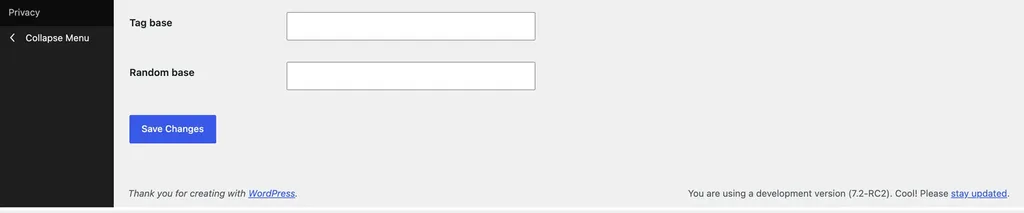
- The new Random base setting is in Permalinks. Under Settings → Permalinks, a "Random base" field now sits below Category base and Tag base.
- /random/ redirects to a random post. We published five sample posts and requested /random/ six times. Each request redirected to a published post, and we got four different posts, with two repeats.
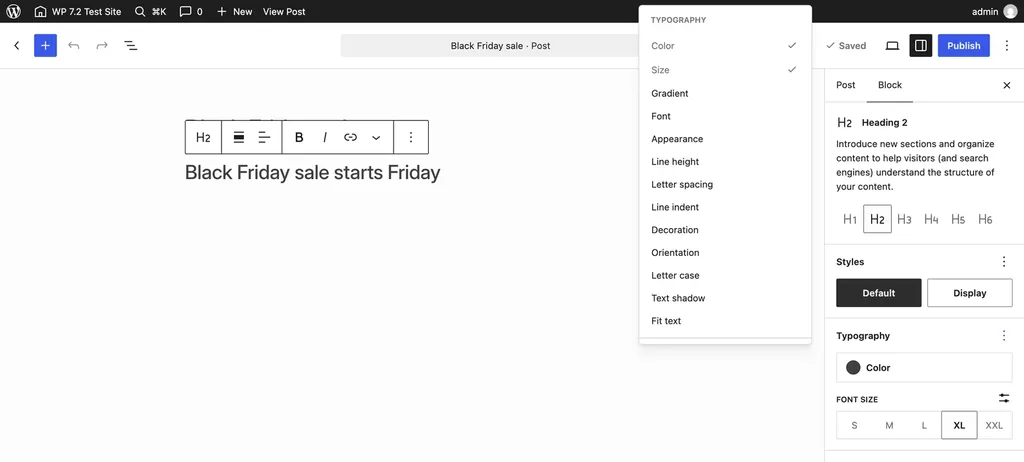
- Text shadow is available but hidden by default. On a Heading block, "Text shadow" appears in the Typography options menu, next to Line height and Letter case. You have to turn it on from that menu before the control shows in the sidebar.
- The toolbar greeting has moved. The admin bar shows just the username, matching the dev note that "Howdy" moves into the user menu.
The changes most likely to cause problems
Admin icons and custom styling
WordPress 7.2 swaps the old Dashicons font in the admin menu and toolbar for SVG icons. The field guide says most plugins will keep working. But custom admin color schemes, and CSS aimed at Dashicons, may need fixing. If your plugin adds a toolbar item, use the new icon argument in WP_Admin_Bar::add_node() to set its icon.
Editor components and CSS class names
The @wordpress/components package now uses SCSS Modules for its styles. Code that uses the documented props is fine. Code that depends on generated class names may break. Several components, such as Animate, Divider, Surface and Tip, are deprecated and due to be removed in WordPress 7.4. If your plugin bundles its own @wordpress/* packages, update them to the versions listed in the guide. That avoids clashing CSS class names.
Abilities API permissions and input
Abilities can now list required_capabilities. WordPress checks these before the permission callback runs. Input now goes through WP_Ability::prepare_input() for both PHP and REST calls. If cleaning the input fails, you now get an ability_invalid_input error instead of raw values. Plugins that call check_permissions() directly must prepare the input first.
REST API details
Revision and autosave responses now only include metadata that's registered for revisions. The comments endpoint treats status as an array. A new rest_allowed_cors_methods filter sets which CORS methods are allowed. Our REST API glossary entry explains the basics if these terms are new to you.
jQuery Migrate and the road to jQuery 4
WordPress 7.2 ships jQuery Migrate 3.6.0, not jQuery 4. The roadmap tentatively targets WordPress 7.3 for the jQuery update. We covered what to test in our jQuery Migrate 3.6.0 guide.
Smaller changes site owners may notice
- Application password emails: according to the miscellaneous developer changes post, WordPress now sends an email when an application password is created. That's a welcome security alert.
- Add Theme is back in the Appearance menu.
- Random URLs: if you don't want /random/ on your site, a developer can turn it off with the
wp_enable_random_content_redirectfilter. The URL base can be changed in Permalink Settings. - Hosts: WordPress now turns off the
NO_BACKSLASH_ESCAPESSQL mode for its own database session, which prevents query failures on servers that enable it by default.
Frequently asked questions
When is WordPress 7.2 released?
The final release is scheduled for December 8, 2026. Release Candidate 3 is due on November 24 and RC4 on December 1.
Does WordPress 7.2 include jQuery 4?
No. It ships jQuery Migrate 3.6.0 to help developers prepare. The jQuery update itself is tentatively planned for WordPress 7.3.
Can I turn off the new /random/ URL?
Yes. A developer can switch it off with the wp_enable_random_content_redirect filter, and you can change its URL base under Settings → Permalinks.
Should I install the release candidate on my live site?
No. Test release candidates on a staging site or in WordPress Playground, and update your live site after the final release.
How we checked
We read the field guide and the linked developer notes on November 22, 2026. Then we tested the visible changes on a fresh WordPress 7.2 RC2 site in WordPress Playground, on PHP 8.3. We didn't test the code changes, like the Abilities API, against other plugins. So treat those parts as a checklist, not as test results.
Our verdict
The WordPress 7.2 field guide describes a steady release, not a disruptive one. What you should do depends on your role:
- Site owners: no action is needed yet. Wait for the final release on December 8, back up, and follow our guide to updating WordPress.
- Theme developers: test admin styling, add text shadow presets if they suit your design, and check for jQuery Migrate notices.
- Plugin developers: test Abilities API permissions, REST API revision metadata and any editor components you style, on a staging site running RC3 or RC4.
- Hosts: confirm that nothing depends on the SQL mode change, and start testing PHP 8.6 alongside 7.2, as covered in our PHP 8.6 article.
Start your testing with the WordPress 7.2 field guide, and use the two weeks before December 8 to work through it. Most sites will update without trouble, and the few that won't are the ones that test now.
Sources
We checked these sources for this look at the WordPress 7.2 field guide on November 22, 2026:
- WordPress 7.2 Field Guide, Make WordPress Core
- Miscellaneous Developer Changes in WordPress 7.2, Make WordPress Core
- WordPress 7.2 release schedule, Make WordPress Core
- WordPress 7.2 Release Candidate 1, WordPress.org News