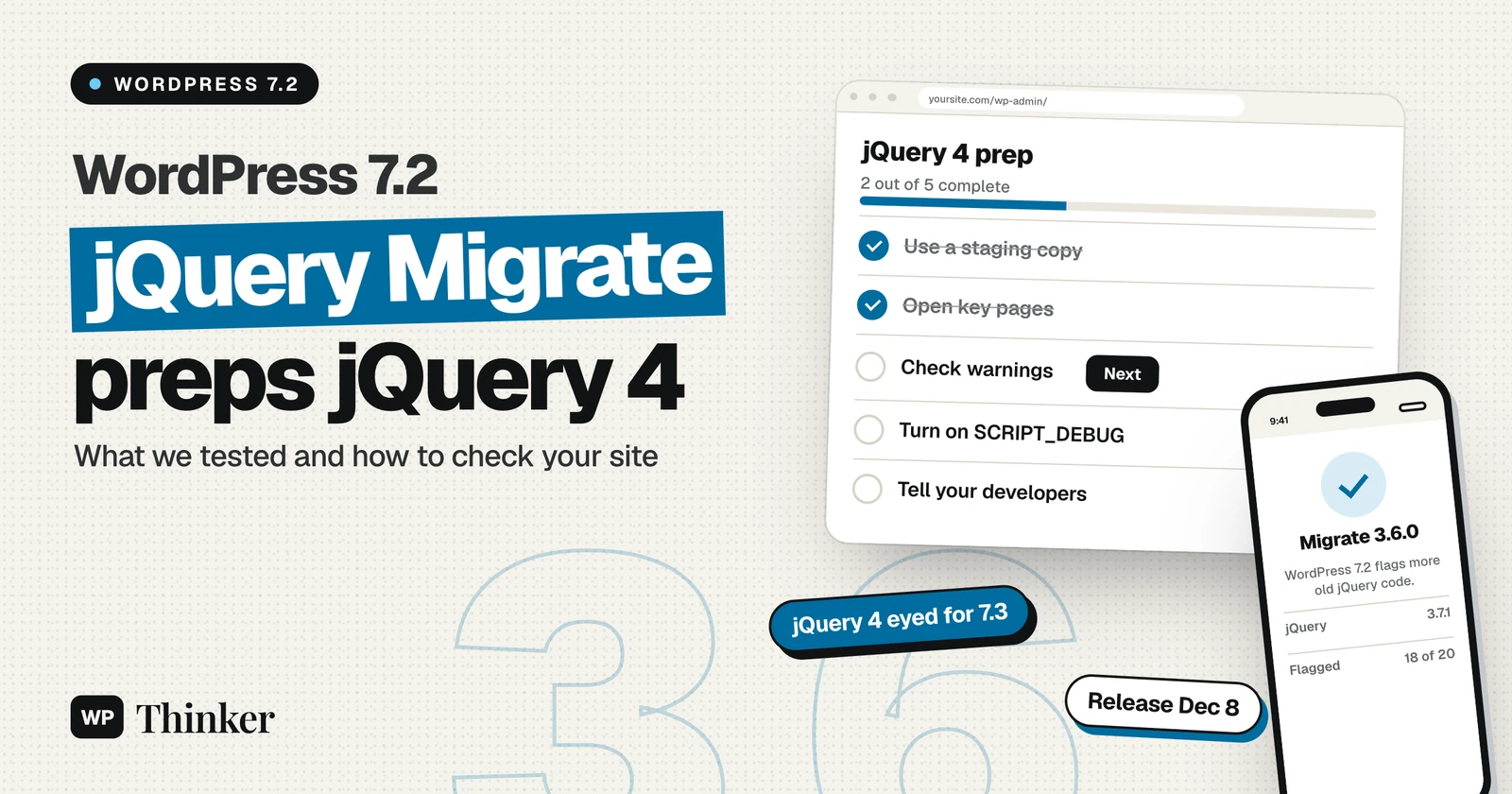
WordPress 7.2 ships jQuery Migrate 3.6.0, the first step in moving WordPress to jQuery 4. The core team announced the plan in a developer note on November 17, 2026. For site owners, the change is a warning, not a break: jQuery itself stays at 3.7.1 in 7.2, but the new Migrate flags more old code that will stop working once jQuery 4 lands.
We ran the same 20 old jQuery calls on WordPress 7.1.5 and on the WordPress 7.2 release candidate in WordPress Playground. Below are the results, what they mean for your plugins and theme, and how to check your own site in about five minutes.
Key facts about jQuery Migrate 3.6.0 in WordPress 7.2
| Item | Detail |
|---|---|
| Announced | November 17, 2026, in the "Preparing for jQuery 4" dev note |
| WordPress 7.2 release | Scheduled for December 8, 2026 (RC1 post) |
| jQuery in 7.2 | 3.7.1 (unchanged from 7.1.5, checked on our test site) |
| jQuery Migrate in 7.2 | 3.6.0, up from 3.4.1 in 7.1.5 |
| jQuery 4 in core | Tentatively planned for WordPress 7.3, depending on test results |
| Migrate off by default | End of 2027 (WordPress 7.5 or 7.6), also depending on testing |
| Who is affected | Sites with older plugins or themes that use jQuery code |
| Action needed now | Check for Migrate warnings and ask developers to fix them |
What the core team announced
According to the dev note, the last major jQuery update in WordPress was the move to version 3 in 2020, which was carried out over several releases, and its final step, disabling jQuery Migrate by default, was never completed.
This time the team has published three stages: WordPress 7.2 updates jQuery Migrate, WordPress 7.3 may then move to the latest jQuery and jQuery UI, and Migrate would be disabled by default at the end of 2027. Each later stage depends on testing and on research into the impact on the ecosystem. You can follow the work in Trac ticket #60478.
jQuery Migrate is a compatibility script that restores old jQuery features removed in newer versions, so older code keeps running. It also records each deprecated feature as it runs, and those reports are exactly what plugin and theme developers need to see.
jQuery 4.1 and the end of jQuery 3 features
The timing lines up with jQuery's own plans. On the same day, November 17, the jQuery team released jQuery 4.1.0 and 3.8.0. It described 3.8.0 as the last planned feature release on the 3.x branch, which will receive only critical security and bug fixes from now on.
The 3.8.0 release also formally deprecated a few APIs that jQuery 4 removed. These include the push, sort and splice methods on jQuery objects and jQuery.expr[":"]. That lets Migrate warn about them before a site upgrades.
What we tested in WordPress Playground
We started two fresh sites in WordPress Playground on November 20, 2026, both on PHP 8.3. One ran WordPress 7.1.5, and the other ran the current release candidate, which the admin footer identified as 7.2-RC2. On each site we opened the Dashboard and read the loaded library versions from the browser.
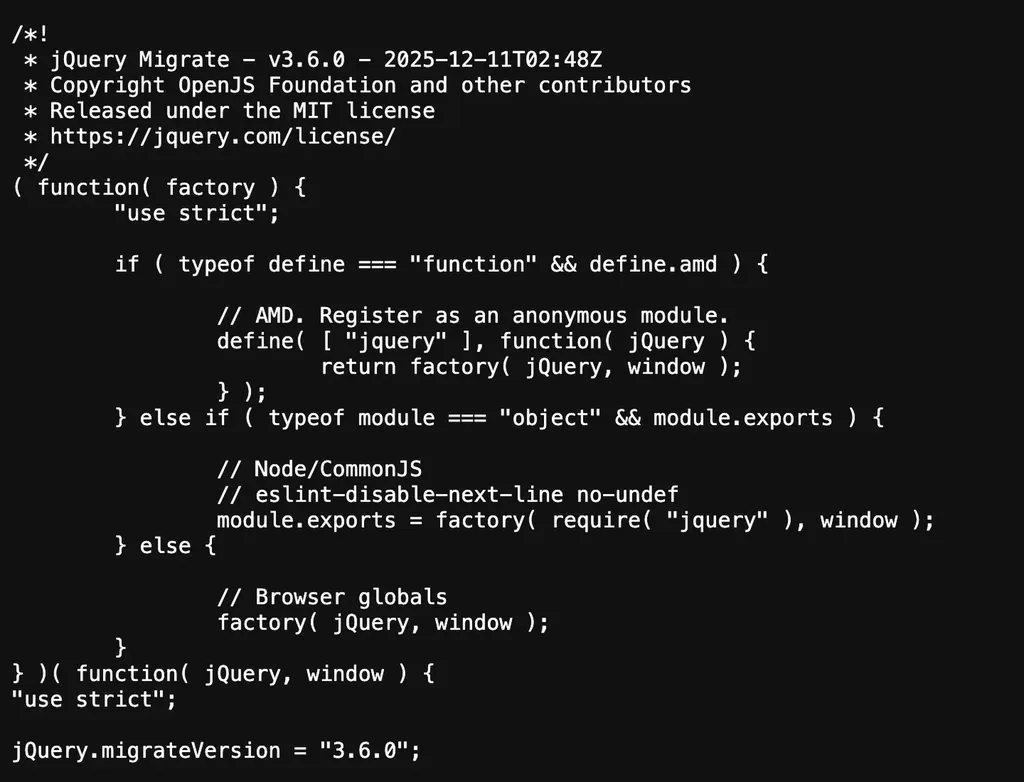
Both sites loaded jQuery 3.7.1 and jQuery UI 1.14.2. The only change was Migrate: 3.4.1 on 7.1.5 and 3.6.0 on 7.2-RC2. The file header on the test site confirms the new version.
Next we called 20 old jQuery functions on each site and recorded which ones Migrate flagged. Every call still worked on both sites, because jQuery 3.7.1 still includes them; the difference was entirely in the warnings.
| Old call | Use instead | 7.1.5 (Migrate 3.4.1) | 7.2-RC2 (Migrate 3.6.0) |
|---|---|---|---|
jQuery.now() | Date.now() | No warning | Warning |
.push() on a jQuery object | .add() or an array | No warning | Warning |
jQuery.camelCase() | Your own helper | No warning | Warning |
jQuery.proxy() | Function.prototype.bind | No warning | Warning |
jQuery.trim() | String.prototype.trim | Warning | Warning |
jQuery.isArray() | Array.isArray | Warning | Warning |
jQuery.parseJSON() | JSON.parse | Warning | Warning |
.bind() and .click(fn) | .on() | Warning | Warning |
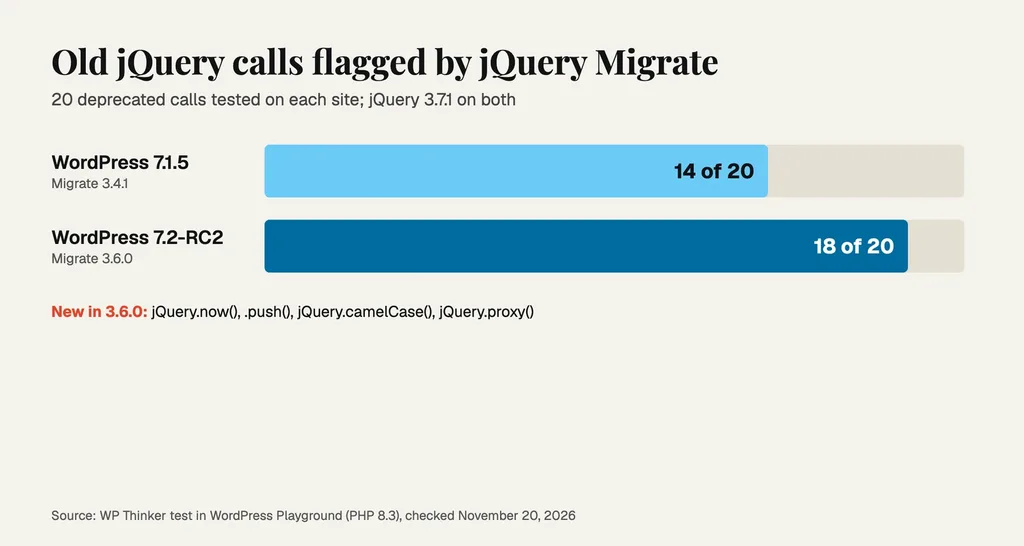
In total, Migrate 3.4.1 flagged 14 of the 20 calls. Migrate 3.6.0 flagged 18. The four new warnings are in the first four rows. The other calls flagged on both sites were isFunction, type, isNumeric, isWindow, nodeName, unique, holdReady and jQuery.expr[":"]. Two modern calls, .ready() and jQuery.find(), gave no warning on either site.
The console stays quiet by default
This was the main gotcha in our test. On a normal site, WordPress loads the minified Migrate file, and on both test sites jQuery.migrateMute was set to true. The Migrate README says this setting stops console warnings, but the list of warnings is still kept.
So an empty console does not mean your site is free of deprecated jQuery code. When we turned on SCRIPT_DEBUG, WordPress 7.2-RC2 loaded the full jquery-migrate.js file instead, and the mute setting was no longer set.
How to check your own site
Use a staging copy if you have one. Our guide to backing up and restoring WordPress covers making one safely.
- Open a busy page. Load a page that uses your main plugins, such as a form, a slider or a shop page. Do the same in wp-admin.
- Open the browser console. In Chrome, press F12 and choose the Console tab.
- Read the warning list. Type
jQuery.migrateWarningsand press Enter. Each line names an old function, such as "jQuery.trim is deprecated". - Click around first. Some code only runs on a click or a scroll. Use the page, then read the list again.
- Turn on full warnings on staging. Add the line below to
wp-config.php. The WordPress debugging guide explains it.
define( 'SCRIPT_DEBUG', true );With this set, warnings start with "JQMIGRATE" in the console, and you can see which script caused each one. Remove the line when you finish, because it also loads larger script files.
What this means for you
If you run a site: nothing should break in WordPress 7.2 because of this change, so treat any warnings as a to-do list. Send them to the plugin or theme developer, or look for an update. Our WordPress 7.2 overview covers the rest of the release.
If you build plugins or themes: swap the old calls for the native options in the table above. Test against jQuery 4 now using the jQuery 4 upgrade guide, before WordPress 7.3 makes it urgent.
If you manage many client sites: look out for old page builders, sliders and form plugins that have not been updated in years. They are the most likely to rely on removed functions. Keeping plugins current is also part of our WordPress security checklist.
FAQs
Will WordPress 7.2 break my site?
Not because of jQuery. WordPress 7.2 still loads jQuery 3.7.1, and every deprecated call we tested continued to work; only the warnings changed.
When does jQuery 4 arrive in WordPress?
The dev note says WordPress 7.3 is the tentative target, depending on test results. It is not confirmed yet.
Should I install a plugin to turn jQuery Migrate back on?
Not now. Migrate is still on by default, and the team plans to keep it on until the end of 2027.
The bottom line
WordPress 7.2 does not change jQuery itself, but it does change what gets flagged. Check jQuery.migrateWarnings on your key pages and pass the results to your developers. Fixing those warnings now is the easiest way to be ready when jQuery Migrate 3.6.0 gives way to jQuery 4.
Sources
- Preparing for jQuery 4 with WordPress 7.2, Make WordPress Core (checked November 20, 2026)
- WordPress 7.2 Release Candidate 1, WordPress.org News (checked November 20, 2026)
- jQuery 4.1.0 and 3.8.0 Released, jQuery blog (checked November 20, 2026)
- jQuery Migrate 3.6.0 README, GitHub (checked November 20, 2026)
- Trac ticket #60478, WordPress Core Trac (checked November 20, 2026)