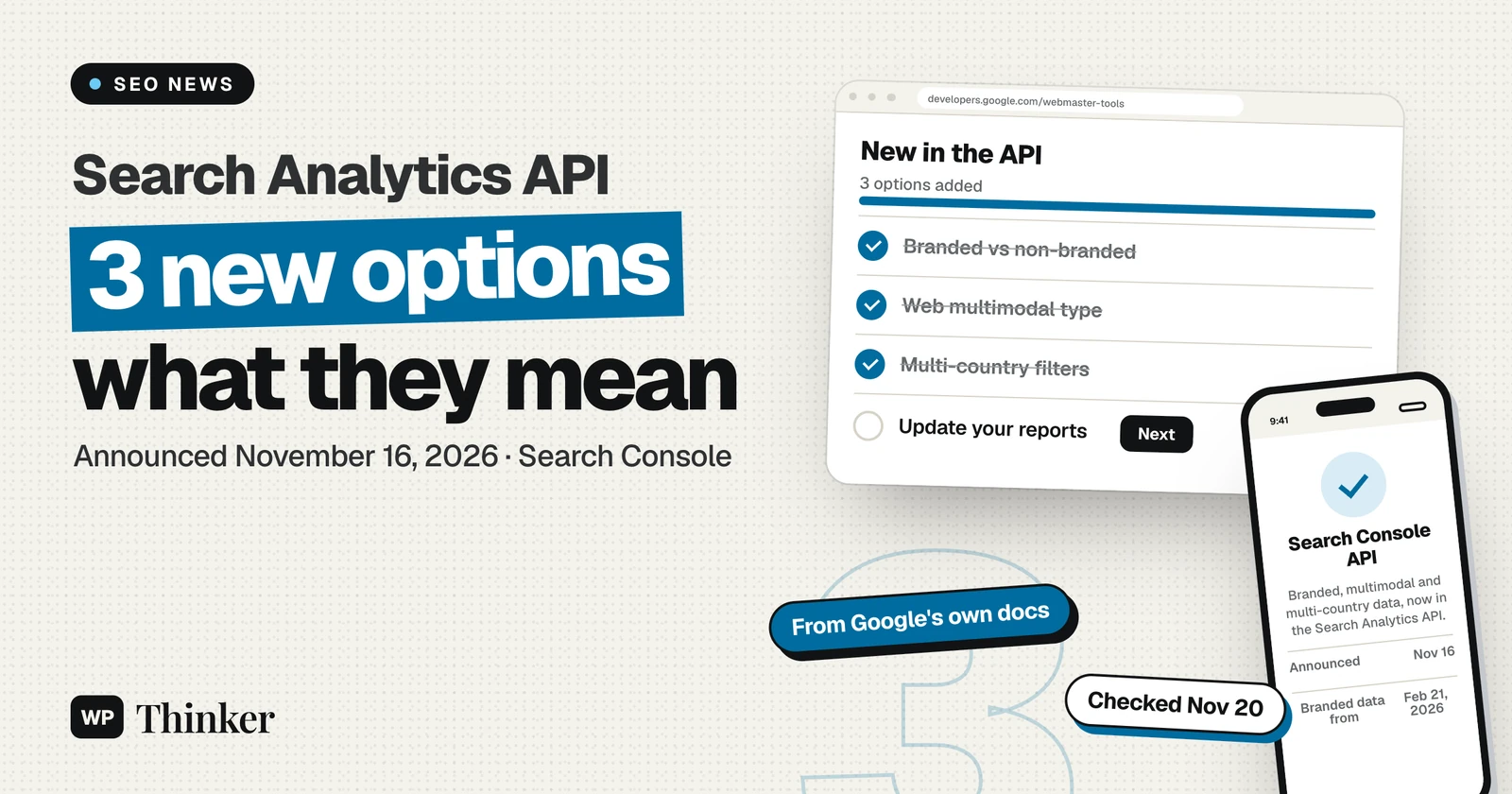
Three Search Console reports that were only in the browser are now in the Search Analytics API. Google added them on November 16, 2026: a branded vs non-branded split, a new "web multimodal" search type, and filters that take several countries or devices at once. For a WordPress site, this matters if you pull Search Console data into a dashboard, a spreadsheet or a plugin. It does not change rankings, and it does not change what you see in Search Console itself.
We read Google's announcement and the API reference line by line, then put the new options side by side. Below is what each one does, the limits Google lists, sample request bodies, and who should bother.
What changed in the Search Analytics API
The Search Central blog post lists three new options. Each one copies a filter that Search Console added to its Performance report earlier.
| Option | In the Search Console UI since | In the API since | Field to use |
|---|---|---|---|
| Branded queries | Announced November 20, 2025; all eligible sites by March 11, 2026 | November 16, 2026 | brandedClassification |
| Web multimodal | September 24, 2026 | November 16, 2026 | type: "webMultimodal" |
| Multi-country and multi-device filters | Within the past year, per Google (announced on LinkedIn, not in a dated blog post) | November 16, 2026 | filterLists |
So the gap between the browser and the API was about a year for the branded filter and under two months for multimodal data. If you built a report around a CSV export from the Performance report, you can now automate it.
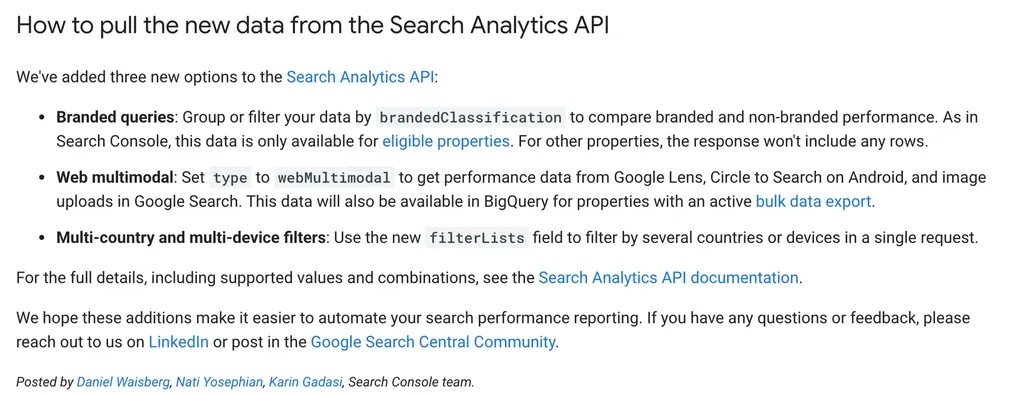
Branded queries: the most useful addition, with the most limits
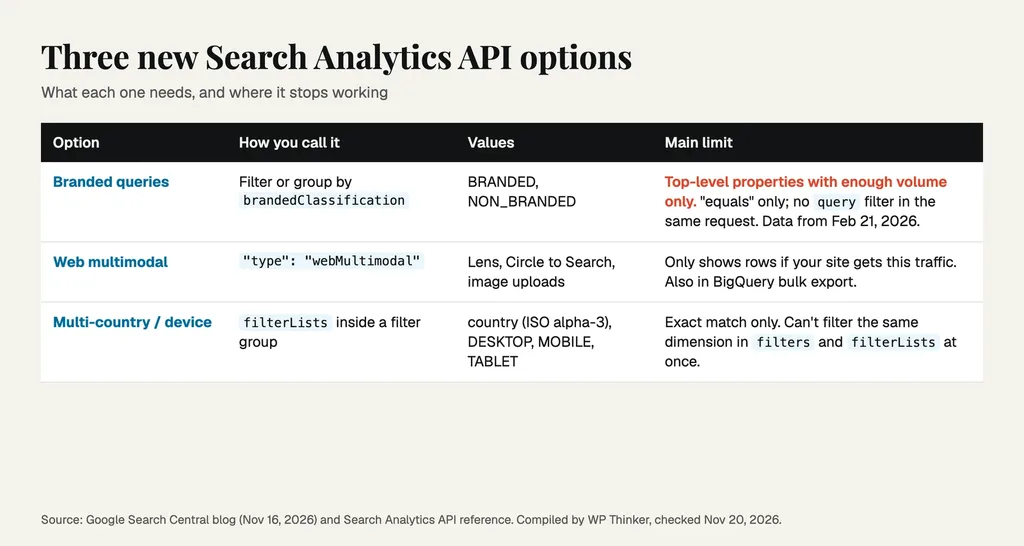
You can now group or filter rows by brandedClassification, with two values: BRANDED and NON_BRANDED. Google's classifier decides which queries count as branded. It is not a regex you control. Google's earlier post says it is an AI-assisted system that covers your brand name in all languages, typos, and product names unique to your site. The same post admits some queries may be misclassified.
The API reference adds rules you will hit quickly:
- Only "equals" works as the operator for this dimension.
- You can't combine it with a
queryfilter in the same request. "Branded queries that contain 'woocommerce'" needs two steps. - Data starts on February 21, 2026. Year-on-year branded comparisons aren't possible yet.
- Only top-level properties with enough query and impression volume get data. A URL-path property such as example.com/blog/ or a subdomain property gets none.
The last rule is the one that will confuse people. Google's post says an ineligible property gets a response with no rows, not an error. A script that treats "no rows" as "no branded traffic" will report a wrong zero.
Web multimodal: Lens and Circle to Search traffic
Setting "type": "webMultimodal" returns clicks and impressions from Google Lens, Circle to Search on Android, and image uploads in Google Search. Google says the same data will reach BigQuery for sites with an active bulk data export.
For WordPress stores and recipe, travel or product-heavy blogs, this is the first way to track camera-led searches in an automated report. For a text-only blog, expect few or no rows. Google's September post says the metrics appear only if your site gets traffic from these searches.
Multi-country and multi-device filters
The new filterLists field sits inside a filter group. It takes one dimension, country or device, and a list of exact values. A row matches if its value equals any item on the list.
Before this, a DACH report (Germany, Austria and Switzerland) meant three country-filtered requests, or one unfiltered request trimmed in your own code. Now it is one request. Two limits from the reference: matching is exact only, and one request can't filter the same dimension in both filters and filterLists. Country values use three-letter ISO codes, so Germany is DEU, not DE.
Sample request bodies
These bodies follow the field names in the API reference. They go to the searchAnalytics.query endpoint for your property. We built them from the reference; we did not run them against a live property for this article, so test them in Google's "Try it" panel first.
Branded vs non-branded clicks per month for a store's product pages:
{
  "startDate": "2026-03-01",
  "endDate": "2026-10-31",
  "dimensions": ["brandedClassification"],
  "dimensionFilterGroups": [{
    "groupType": "and",
    "filters": [
      {"dimension": "page", "operator": "contains", "expression": "/product/"}
    ]
  }]
}
Note the page filter is allowed. Only a query filter clashes with the branded dimension.
Multimodal traffic on mobile in three countries:
{
  "startDate": "2026-10-01",
  "endDate": "2026-10-31",
  "type": "webMultimodal",
  "dimensions": ["page"],
  "dimensionFilterGroups": [{
    "groupType": "and",
    "filterLists": [
      {"dimension": "country", "expressions": ["DEU", "AUT", "CHE"]},
      {"dimension": "device", "expressions": ["MOBILE"]}
    ]
  }],
  "rowLimit": 100
}
Keep the start date on or after February 21, 2026 for branded queries. Earlier dates won't return branded data.
Where the update falls short
| Pros | Cons |
|---|---|
| Branded split without keeping your own brand regex | Small sites and URL-path properties get no branded data |
| Camera-led search data in automated reports | Branded history only goes back to February 21, 2026 |
| Regional reports in one call instead of several | Branded filter can't be mixed with a query filter |
| Same data the UI shows, so reports match | Ineligible properties get empty rows, not an error |
What this means for a WordPress site
Most WordPress owners never call the API directly. They see Search Console data through a plugin or a dashboard tool. Google's own free plugin, Site Kit by Google, was at version 1.192.0 (updated November 16, 2026, 5+ million active installs) when we checked its WordPress.org page on November 20. Its changelog there does not mention branded or multimodal data yet. Your SEO plugin or reporting tool needs its own update before you see these splits inside wp-admin.
If you run your own Looker Studio, Google Sheets or Python report, you can add the fields today. This is also a good time to check your basics: an XML sitemap in WordPress that Search Console can read, and IndexNow for Bing. If you are still reading the effects of the November 2026 core update, a branded split is handy. A drop only in non-branded clicks points at rankings, while a drop in branded clicks points at demand for your name.
Frequently asked questions
Does the branded filter affect rankings?
No. Google's November 2025 post says the classification only helps you segment data and has no effect on how Search ranks pages.
Why does my branded query return no rows?
Your property is probably not eligible. It must be a top-level property with enough queries and impressions. URL-path and subdomain properties don't qualify.
Do I need a plugin to use these options?
No. Any tool that calls the Search Analytics API can use them. A plugin only shows them once its developer adds support. See our list of the best SEO plugins for WordPress for options, and check each changelog.
How we checked
We read Google's November 16, 2026 announcement, the Search Analytics API reference, and Google's earlier posts on the branded filter and web multimodal reporting. We checked the Site Kit details in the WordPress.org plugin API. All pages were checked on November 20, 2026. The comparison table and chart are our own summary of those pages. We did not have access to a property with branded data, so we did not run live queries.
Our verdict
For agencies and store owners with steady traffic, the branded split is worth adding to monthly reports now. It separates "people who know us" from "people who found us", without a regex to maintain. Sites selling visual products, such as fashion, furniture or recipes, should add a webMultimodal query to see if Lens traffic is growing. Sites serving several regions get simpler code from filterLists. Small blogs and URL-path properties can skip this round and wait for their reporting plugin to catch up. Whatever your size, test each new field in the Search Analytics API before you trust its numbers in a dashboard.
Sources
- Search Analytics: query, API reference, Google for Developers (checked November 20, 2026)
- Introducing the branded queries filter in Search Console, Google Search Central, November 20, 2025 (checked November 20, 2026)
- Announcing web multimodal Search performance reporting, Google Search Central, September 24, 2026 (checked November 20, 2026)
- Site Kit by Google on WordPress.org (checked November 20, 2026)
- New filtering and reporting capabilities in the Search Analytics API, Google Search Central, November 16, 2026 (checked November 20, 2026)